
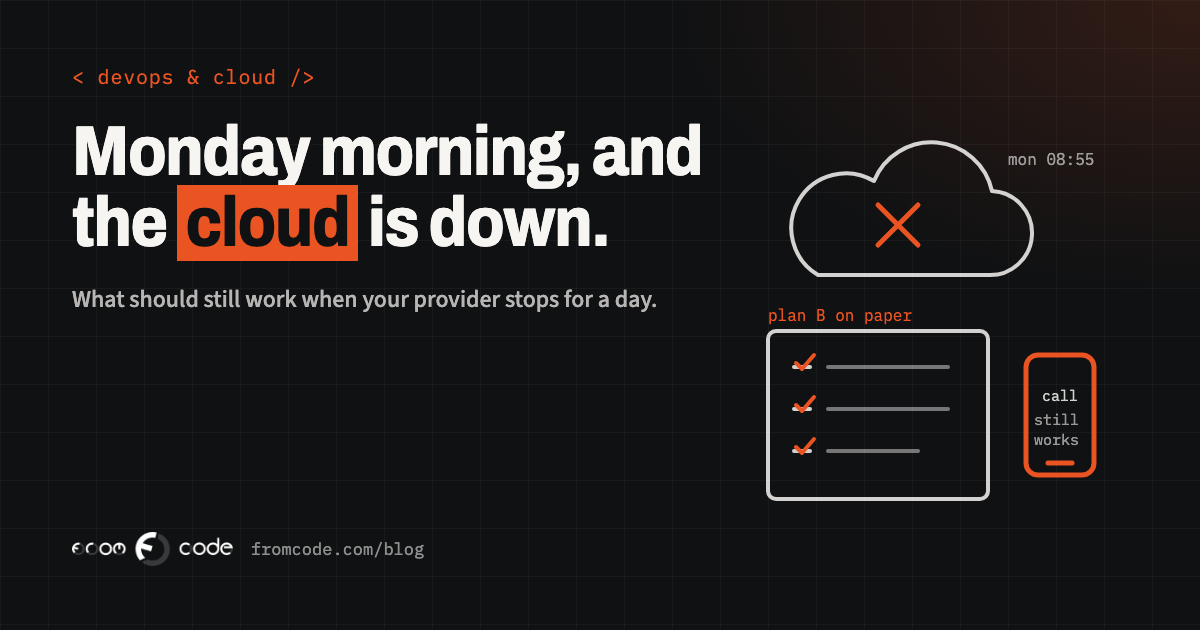
Monday, five to nine. The first people in the office open Outlook and it spins. Teams says it is trying to reconnect. Someone tries the shared calendar and gets a sign-in loop. Within ten minutes, everyone has the same message in the group chat, which, of course, runs on the same system and is not loading either.
By half past nine the question is no longer "when will it be back?". It is the one that actually matters: what can we still do right now, and who knows how?
If you run a clinic, a school, a service company or a workshop, you probably rent most of your daily tools from one or two large providers. That is a sensible choice and I would make it again. But it means that once or twice in a few years, those providers will have a bad day, and your day goes with it. This article is about deciding, calmly and in advance, which parts of the work keep going.
It is not a rare event, and it is rarely tidy
The first thing to know is that these days happen, and they are not always short. Tom's Guide reported an Outlook outage on 31 August 2026 that lasted close to twelve hours, with some teams fully locked out while colleagues in the same company could still reach their mail. Microsoft's preliminary explanation, as reported there, pointed at a sign-in configuration that several services share.
I mention it not to worry you, but because of what it shows. Your mail, your calendar, your files and your chat may all look like separate tools. Behind them there is often one door, the sign-in, and when that door sticks, everything behind it feels broken at once.
You cannot fix the provider's door. You can decide what your people do while it is stuck.
Start with five jobs, not with a list of systems
Ask one question out loud, with your team, before the next bad Monday: "If our cloud tools disappeared for a whole working day, which five things must still happen?"
Five is a useful number. Ten becomes a project and never gets finished. One gets argued about. Five fits on one page.
For a physiotherapy clinic the five might be: patients arriving today can be checked in, the therapists can see who is booked, someone can contact a patient who is late, a session can be written down, and the owner can reach everyone by phone. Notice that none of these is "send an e-mail". The list is made of jobs, not of programs.
Walk through a Monday and see what stops
Go through the day of one real person at the front of your business and write down every moment where they open something. The first appointment, the phone that rings, the customer who stands at the desk and asks "did you get my message?".
For each moment, mark one of three things: - It stops completely. Nobody can do it without the cloud tool. - It slows down. It can be done another way, by hand or by phone. - It carries on. It never depended on that tool.
Most owners are surprised by the middle group. A great deal of work only needs a name, a time and a phone number, and a phone number does not live in the cloud if somebody has it on paper or on their own handset.
The one page you print and keep in a drawer
The simplest tool I know is a single sheet of paper, printed and kept in a drawer at the front desk and in the owner's bag. It holds: - the telephone numbers of your staff and your most important customers or patients, - today's appointments or jobs, printed each morning or the evening before, - the name of the person who decides what to do, and their deputy, - the number to call at your IT provider, and at the provider itself, - the three or four sentences you will say to a customer when they ask what is happening.
Printing today's list each evening sounds old fashioned. It is also the one thing on the list that has never failed on a day when the internet did. Twenty seconds each evening, from a screen that still works then.
A second way to talk to your own team
When the group chat is on the same system as everything else, you lose your voice at exactly the moment you need it. Agree now on a second way to reach each other that does not share the same sign-in: a plain text message group on people's own phones, or a chat app on a different provider.
Do this with people's agreement, and put no business data in it. Its only job is "the system is down, here is what we are doing, come in at ten instead of nine". Test it once. Half the value is simply finding out who has changed their number.
Is it us or them? Know where to look
The first reaction in an outage is to wonder whether it is "us or them". It helps to know where to look, and that this is a decision for one named person rather than for everyone at once.
For Microsoft 365, the administrator can open the admin centre and look at Service health, which lists current incidents for each service, and Microsoft explains where it lives and what it shows in its own documentation. If the admin centre does not load for you, Microsoft also publishes public status pages and a status account on social media. Find them today and note them on the phone of the person responsible, not in the system that is down.
If your provider is someone else, find the equivalent page now and write its address on the printed sheet. Ten minutes of searching on the day, while customers are calling, is expensive.
Two accounts nobody uses
A related thing worth checking this week: who can actually get in when the normal sign-in is the problem? Microsoft's own guidance on resilient access recommends two emergency access accounts, cloud-only, with the highest administrator role, not tied to any one person and used only in an emergency. They exist so that a locked door does not also lock out the people who could open it.
Ask your IT provider whether yours exist, where the details are kept, and who is allowed to use them. If the answer is a long pause, that is useful to know on a calm Tuesday.
What you tell customers, and where
Customers cope well with a delay when they are told what is happening. They cope badly with silence. Decide beforehand how you will tell them, and where, given that your mail may be the broken part.
- A short message on the telephone greeting or voicemail.
- One line at the top of your website, or a post on the social page you already use.
- A text message to the people with appointments in the next two hours.
Write the wording once, in your own voice, and keep it with the printed sheet. For example: "Our e-mail system is having a problem today. We are open as usual and working from our paper list. Please call us on this number and we will sort you out." It takes two minutes to write now, and nobody has to invent it under pressure.
What your own systems should do on that day
There is a part of this that is about the software built for your business rather than the software you rent. If you have your own booking system, customer records or an internal tool, ask three questions about it.
First: does it depend on the same sign-in as your office tools? If it does, an outage there is an outage here, and that may be a decision you want to make deliberately rather than by accident.
Second: can it produce a read-only copy of today's work, such as the day's schedule or job list, automatically every morning, to a place that does not need the cloud tool to open? It is a small piece of work to ask for and it turns the printed sheet from a chore into something that happens by itself.
Third: when it is up and the office suite is down, does anything in it quietly need that suite, for example to send a confirmation or to open an attachment? Better to find that out in a quiet hour than at nine on a Monday.
Practise it for half an hour
Plans that are never tried tend to fail in small, silly ways: the printer has no paper, the sheet is last year's, the one person with the number is on holiday.
Once or twice a year, choose a quiet half hour and run it. Pretend the main tools are gone. Print the day's list. Send the text-group message. Read the customer wording aloud. Ask the person at the front desk to tell you in their own words what they would do. Then fix what was awkward and put a date on the sheet.
It is also a pleasant way to show a new colleague how the business really runs.
Keep a short list of what you rent
A bad day for your provider also tends to expose a quieter issue: who knows where everything is. A short list of the tools you rent, who holds the administrator access for each, and who to call, is worth keeping next to the printed sheet.
If you are not sure about your own list, the earlier posts on knowing your system is down before customers tell you and on backups you can rely on go into the monitoring and recovery side in more detail.
What I would do, in this order
If I were sitting in your office, in this order:
- Gather the people who answer the phone and open the day, and agree your five jobs together. Thirty minutes.
- Write the one-page sheet and print it. Put one copy at the front desk and one with the owner.
- Set up the second way to talk to each other and check that it reaches everyone.
- Find the status page for each provider you rely on, and write the address on the sheet.
- Ask your IT provider about emergency access and about a morning read-only copy of the day's schedule.
- Put a half-hour practice in the calendar for three months from now.
None of it needs new software, and all of it makes an ordinary Monday calmer too.
The question to leave you with
The most useful sentence in any outage is "we know what to do". It is a small thing to prepare, and your staff and customers feel the difference at once.
Which of your five jobs would stop first if your main tools went quiet tomorrow morning, and what would your team do about it?
What should keep working in your business when the cloud is down?
Discuss your projectTell me how your day runs and I will help you work out the five jobs and the plan around them.