
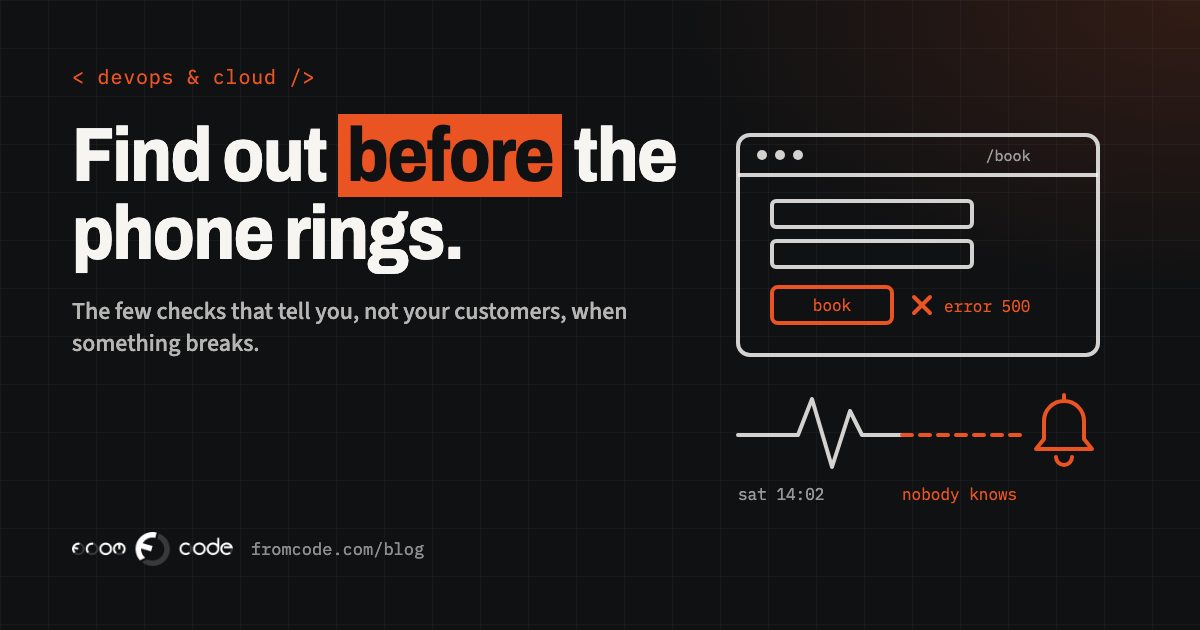
Picture a physiotherapy clinic with a booking page on its website. On Saturday afternoon, something on the server stops working. The home page still opens, the photos and prices are all there, but the last step of the booking form now ends in an error. Nobody at the clinic knows. Reception is closed until Monday.
On Monday morning, the receptionist notices that the diary is strangely empty for the week ahead. At ten o'clock a regular patient rings: "I tried to book all weekend, your website just gives an error." By then the weekend's bookings have gone to whichever clinic down the road had a page that worked. The fix itself, once someone looks, takes twenty minutes.
The details of that clinic are made up. The pattern is not: I have seen it in many shapes, and it is one of the most common ways a small business loses work without ever finding out how much. The system failing was not the worst part. Finding out from a customer, two days late, was.
This article is about closing that gap. Not with an expensive operations team, but with a small number of checks that tell you, and not your customers, when something has stopped working.
The real damage is the time nobody knows
Every system breaks sometimes. A server runs out of disk space, a certificate expires, a supplier's service changes, an update goes wrong, the hosting company has a bad day. You cannot make that number zero, and anyone who promises you can is selling something.
What you can change is how long a failure lasts before someone starts fixing it. For most small businesses, that time is not measured in minutes. It is "until a customer complains", and many customers never complain. They just leave and book somewhere else.
So the goal of monitoring is simple to say: **the first person to know that something is wrong should be the person who can fix it**, not the customer, and not the receptionist on Monday morning.
"Up" is not the same as "working"
The most basic check, and the one most people mean when they say "monitoring", asks: does the website answer? A service on the internet opens your home page every minute or so, and sends a message if it does not load.
That check is worth having, and it would have caught nothing in the clinic's case. The home page loaded fine. What failed was one step deeper: the part that saves the booking and sends the confirmation.
This is the first thing I explain to business owners: **"the site is up" and "the site is working" are different statements.** A page can load perfectly while:
- the booking or enquiry form fails when someone presses Send,
- the confirmation e-mails stop going out,
- the payment step for a deposit or an invoice returns an error,
- the login for members or staff stops accepting passwords,
- everything works, but takes fifteen seconds per page.
A check that only looks at the front door will report all of these as "fine".
Check from the outside, the way a customer does
The second rule is about where the check runs from. If the only thing watching your server is a program on that same server, then when the server goes down, the watcher goes down with it, and says nothing.
A useful check runs from somewhere else entirely: a separate service, on separate infrastructure, ideally checking from more than one place. It sees your system the way a customer does: through the internet, through the domain name, through the security certificate. If any of those is broken, the customer is affected, so the check should be affected too.
The same goes for where the alert is sent. An alert e-mailed to an address on the same server that has just failed will never arrive. Send it somewhere independent: a phone, a messaging app, an e-mail account hosted elsewhere.
Watch the thing that brings in work
Once the front door is watched, the next step is to watch the one or two things your business actually depends on. For the clinic, that is "can someone book an appointment and get a confirmation". For a school it might be "can a parent log in and see the timetable". For a service company, "does a new enquiry reach the inbox of the person who handles it".
There are two ways to check this.
**A test customer.** An automated check goes through the real journey, step by step, with a test account: opens the page, fills the form, presses the button, confirms that the right result comes back. It needs a little care so the test bookings never block a real slot or reach a real person, but it catches the failures that matter most.
**A lighter version.** If a full journey is too much, the system can expose a small "health" address that answers only when its own key parts are working: the database answers, the e-mail service accepts messages, the payment provider can be reached. The outside check then asks that address instead of the home page.
Either one turns "the site is up" into "the part that brings in work is working", which is the thing you actually wanted to know.
The failures that make no noise
Some of the most expensive failures make no noise at all, because they are about something that should happen and quietly does not.
The nightly backup that stopped running in spring. The reminder e-mails that go out every morning at eight, until one morning they do not. The weekly export to the accountant. The import of new records from a supplier. Nothing shows an error, because nothing runs at all. I wrote about the backup side of this in A backup you have never restored is a hope, not a backup.
The check for these works the other way round. Instead of the monitor calling your system, each scheduled job calls the monitor when it finishes: "the backup is done". If that message does not arrive in time, the monitor raises the alarm. It is sometimes called a heartbeat check, and it is one of the cheapest and most useful things you can add to a system that runs jobs on a schedule.
Certificates and domain names: the failures you can see coming
Two failures are entirely predictable, and still catch businesses out every year: an expired security certificate and an expired domain name.
The certificate is what makes the padlock appear in the browser. When it expires, visitors get a full-page warning that the site is not secure, and most of them leave. Certificates are now renewed automatically on most hosting, and that automation usually works, until a server move, a configuration change or an update quietly breaks it.
Two changes make this more important than it used to be. First, Let's Encrypt, the free certificate provider behind a very large share of websites, stopped sending expiry reminder e-mails on 4 June 2025. If you relied on that e-mail as your warning, it no longer comes. Second, certificates are getting shorter lives. Under the industry's own Baseline Requirements, the maximum life of a public certificate dropped to 200 days on 15 March 2026, falls to 100 days on 15 March 2027, and to 47 days on 15 March 2029. More renewals means more chances for one to fail.
The fix is simple: an outside check that reads the certificate's expiry date and warns weeks before it runs out, and a calendar reminder for the domain name that does not depend on one person's inbox. Domain renewals should be set to automatic, on a payment card that will still be valid next year, in an account the business itself owns.
Slow is a failure too
A system that takes twenty seconds to answer is, for most visitors, a system that is down. They will not wait to find out.
So a good check does not only ask "did it answer?", but "did it answer in a reasonable time?". If pages that normally open in under a second start taking five, something is wrong: a full disk, a database that has grown past what the server can handle, a supplier's service that has become slow. A warning at that stage often means the problem is fixed before anyone outside notices.
The same goes for the server itself. Disk space and memory are the two things that most often fill up without warning. A simple alert when the disk is, say, four-fifths full gives days of notice instead of a sudden stop at night.
When it is your provider, not you
Sometimes the fault is not yours at all. The large cloud providers have outages too, and they make the news. On 20 October 2026, Google Cloud's status page recorded an incident in its London region lasting a little over six hours. Google's preliminary account describes a power disruption at the data centre for one zone, where the backup generators failed to start. Banks and other well-known services in the UK were reported affected.
There are two lessons in that for a small business. The first: monitoring tells you about these too. When your checks fail, you want to know within minutes whether the cause is your system or your provider, because the next step is different. Bookmark your hosting provider's status page, and know where it is before you need it.
The second: if your monitoring runs at the same provider, in the same place as your system, a big outage takes out both. Keep the watcher somewhere else.
Who gets the alert, and what they do with it
An alert is only useful if a person reads it and knows what to do. Before choosing any tool, I ask a business three plain questions.
**Who gets it?** A named person, not "the website e-mail". If that person is on holiday, who is next? An alert that nobody acts on for an hour should go to the second person automatically.
**When?** A booking page down on a Saturday matters. A slow report in the back office at three in the morning can wait until the morning. Decide which alerts may wake someone, and send the rest during working hours.
**What do they do?** Even a short note helps: who to call at the hosting company, where the status page is, how to restart the service, how to put up a short message for customers.
One more thing: keep the number of alerts small. A system that sends a warning every day for something harmless teaches everyone to ignore it, and then the real one gets ignored too.
Telling customers before they tell you
When something does go wrong, your customers should hear about it from you. That does not need a big status website. A short message on the booking page ("Online booking is not working right now. Please call us on…"), a post on your page, or a note on the reception phone's voicemail is enough.
It is worth preparing that message in advance, with the clinic's phone number in it, so that putting it up takes a minute instead of a discussion. A customer who sees "we know, here is how to reach us" usually waits or calls. A customer who sees a bare error usually goes somewhere else.
- **An outside check** on the home page, every minute, from a separate service.
- **A check on the one journey that brings in work**: the booking, the enquiry, the login.
- **A heartbeat** from every scheduled job, especially the backup.
- **Certificate and domain expiry** warnings, weeks ahead.
- **Response time and disk space** alerts, before slow becomes down.
- **Alerts to a named person**, with a second one behind them, sent somewhere independent of the server.
- **A ready-made message** for customers, and the hosting provider's status page bookmarked.
For many small systems, the outside services that do most of this have free or low-cost plans. The work is in deciding what to check, not in paying for it.
What I would do
When I take over a system or build a new one, monitoring is part of the handover, not an extra. Before launch, I write down the one or two things the business cannot afford to have broken, and I set up a check that would catch each of them failing, from outside, with an alert that goes to a person who knows what to do. Then I break each one on purpose, once, to see the alert arrive. A check that has never fired is in the same position as a backup that has never been restored.
It is rarely a large job. It is usually the cheapest part of the whole system, and the one that makes the difference between losing an hour and losing a weekend.
So, the question back to you: if your website stopped taking bookings at five o'clock on Friday, how would you find out, and when?
Would you know if your system stopped working tonight?
Discuss your projectTell me what your business cannot afford to have broken, and I will tell you how I would watch it.