
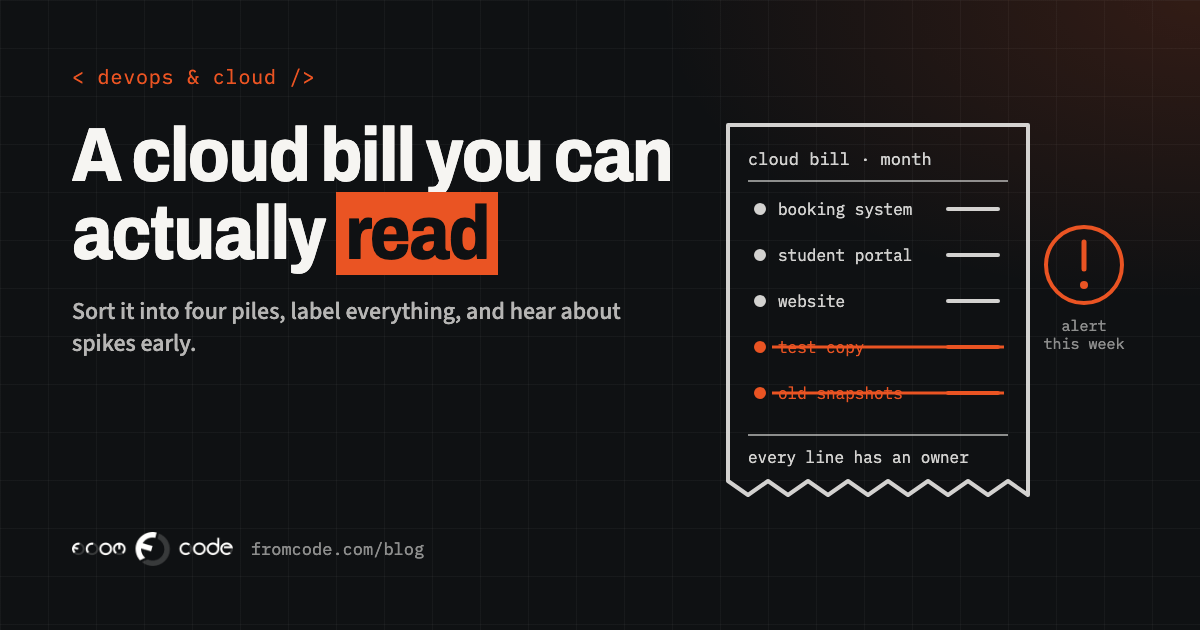
The invoice from the cloud provider arrives, and it is higher than last month. Nobody can say why. The developer who set the account up thinks it is probably traffic. The office manager sees forty lines with names like "EC2-Other" and "VPC" and has no idea which of them is the booking system. The card is charged either way.
It is a very ordinary situation for any business that runs its software in the cloud, and the good news is that it is very fixable. A cloud bill is not mysterious. It is a long list of small meters, and once you know which meters exist and who switched each one on, the bill becomes something you can read, predict and keep in check. This article follows one ordinary month where the bill jumps, then the same month handled properly.
A month when the bill nearly doubled
Picture a language school with a few hundred students. It has a website, an online booking system for classes, a student portal with recordings of lessons, and a small screen the office uses to manage groups and invoices. All of it runs on one of the big cloud providers. The school is made up; everything that happens to its bill below is common.
Two years ago a freelance developer set it up. Since then, a second developer added the lesson recordings, someone tried out a new version of the booking system on a copy of the servers, and the old developer moved on. The bill crept up a little every few months, and nobody minded.
Then one month it arrives at nearly twice the usual amount. The owner asks the current developer, who looks and finds the test copy of the booking system still running, eight months after the test ended. Under it sit backup snapshots of disks that no longer exist, a database left on from the experiment, and a steady charge for video leaving the cloud every time a student replays a lesson. None of it was a mistake on its own. Each thing was switched on for a good reason and never switched off.
Why a cloud bill is hard to read
A normal supplier sends one line: the product, the price, the total. A cloud provider sends a meter reading for every service you use, by the hour or by the gigabyte, often split by region. A small business can easily have dozens of lines, and they are named after the provider's technical services rather than after what the business does.
That is the whole difficulty. "Booking system" does not appear anywhere on the invoice. What appears is a virtual server, a managed database, block storage, snapshots, a load balancer, data transfer and an IP address, each billed separately. Until someone connects those lines to the things the business actually uses, nobody can say whether the bill is right.
Sort every line into four piles
The quickest way to make a bill readable is to sort every line into one of four piles.
- Things that run all the time: servers and databases. They are billed for every hour they exist, whether anyone uses them or not. This is usually the biggest pile.
- Things that are kept: disks, file storage, backups and snapshots. Billed by how much is stored, every month, for as long as it is kept.
- Things that move: data leaving the cloud to visitors, video, downloads, and traffic between regions. Billed by volume, so it grows with use.
- Small fixed charges: IP addresses, gateways, log storage, monitoring. Each is small, and there are many of them.
Once the lines are in piles, two questions do most of the work: does each item in the first two piles belong to something the business still uses, and does the third pile match how busy the business actually is?
What runs when nobody is using it
The test copy at the language school is the classic case. In the cloud, starting a server takes a minute and costs nothing upfront, which is exactly why it is easy to forget one. A server that was started for a week and left running is billed for every hour of every month after that.
The same goes for databases left on after an experiment, disks still attached to nothing, and snapshots that were taken before an upgrade and kept for years. Look in every region the account uses, too. Providers let you run things in many locations, and a server started in a region nobody normally looks at will not appear on the screen the team checks every day.
For each thing that runs or is kept, the question is simple: who uses it, and for what? If nobody can answer, it is a candidate to remove, after a final backup if there is any doubt.
The small charges that add up
Some charges are small enough that nobody looks at them, and then there are twenty of them. Public IP addresses are a good example. Since 1 February 2024, AWS charges $0.005 per hour for every public IPv4 address, whether it is attached to a running service or not. On its own that is pocket money. Across a test environment, a load balancer and several servers, all billed around the clock, it becomes a line worth reading, and it is often the one that appears under a name nobody recognises.
Gateways that let private servers reach the internet, log storage that grows every day because nobody set a retention period, and monitoring that collects far more detail than anyone reads belong in the same pile. None of them is wrong. Each one should be there on purpose.
Traffic leaving the cloud
Putting data into the cloud is usually free. Sending it out to visitors usually is not. At the language school, every replayed lesson was video leaving the cloud, so the charge grew with the number of students, which is fine, and with every repeat view of the same large file, which can be done more cheaply.
The usual answers are ordinary: serve video and large files through a content delivery network or a video service built for it, keep file sizes sensible, and avoid systems that copy large amounts of data between regions for no reason. The test for this pile is whether it moves with how busy the business is. Traffic that rises while bookings stay flat is worth a look.
Hear about it in the week, not at the end of the month
A surprise bill is really a late alert. The spending happened over weeks; the invoice simply reported it at the end of the month. The fix is to hear about it while it is happening.
The tools for this are already in the accounts. AWS sets up Cost Anomaly Detection automatically for new Cost Explorer users, with a daily e-mail summary of unusual spending, and the default configuration comes at no additional cost. Budgets with alerts at, say, half and most of the monthly amount are available on every major provider. What matters is that the alert reaches a real person at the business, not only the developer's inbox.
Keep in mind that an alert is a warning, not a brake. On most services, a budget tells you that spending passed a line and lets it carry on. Google Cloud made spend caps generally available on 30 October 2026, which pause new usage of the covered services once a monthly cap is reached, and that is a welcome step. Servers and storage that are already running keep running and keep being billed, so the cap complements the habits in this article rather than replacing them.
When the free credits run out
Another common jump is the month the free period ends. For accounts opened since 15 July 2025, AWS offers a free plan with up to $200 in credits for six months; on the paid plan, normal prices apply once the credits are used up. Older accounts had twelve-month free allowances on many services, which simply stop on their anniversary. Other providers have their own versions of the same idea.
Credits are genuinely useful for trying things out. Just treat the end date as a date in the calendar: a month before it, look at what the bill would be at normal prices, and decide what stays.
The same school, a month later. Every resource now carries a label, and the cost report shows five rows instead of forty. The test copy and its database are gone, after a last backup. The old snapshots are down to the ones the backup plan actually needs. Lesson videos are served through a delivery network, and log storage keeps thirty days instead of everything.
A budget alert goes to the owner as well as the developer, and an anomaly e-mail arrives daily. The bill is back where it was before the jump, and, more usefully, the owner can now say what each part of it pays for.
Whose account is it?
None of this works if the account belongs to someone else. The cloud account should be in the business's name, paid by the business's card, with the developers invited as users who can be removed. The billing contact should be someone at the business who reads the e-mails.
That is not about trust. It is about the bill reaching the person who pays it, and about the business keeping its systems if a developer moves on, as one did at the language school. If the account is currently in a developer's or a former supplier's name, moving it into the business's name is a good first task, ideally before anything else changes.
Is the cloud still the right home?
Sometimes, once the bill is readable, the honest conclusion is that the cloud is a bigger tool than the system needs. A website, a booking system and a small database with steady use can often live on one or two fixed-price servers, with a monthly cost that hardly moves. The large providers earn their price when demand rises and falls sharply, when many services need to work together, or when the business needs their reach and their managed services.
There is no single right answer, and switching providers is a project of its own. The point is that the decision should be made by looking at a readable bill, not at a frightening one.
Five questions to ask whoever runs your account
If someone else runs the cloud account for you, five questions show whether the bill is under control:
- Which of our systems does each part of the bill pay for, and can I see it grouped that way?
- Is there anything running or stored that no live system uses?
- Who receives the budget and anomaly alerts, and does anyone at the business receive them too?
- Is the account in the business's name, with the developers invited as users?
- When does any free credit or discount end, and what will the bill be after it?
Clear answers to those five turn the monthly invoice from a surprise into a routine. That is the aim: a cloud bill you could explain to your accountant in two minutes.
Is there a line on your cloud bill nobody can explain?
Discuss your projectSend me last month's invoice, and I will tell you what each part of it pays for.