
The hosting bill has gone up, or the server is old, or the person who set it up has moved on, and the site has to live somewhere else. The worry is always the same: will the site go down, will bookings stop, will e-mail disappear for a day?
It does not have to. Moving a website or a business system to a new server without anyone noticing is ordinary work, as long as the steps happen in the right sequence and at the right time. This article follows one move that goes wrong in a very ordinary way, and then the same move done properly, step by step.
Friday afternoon, a new server
Picture a physiotherapy clinic with a website, online appointment booking and a small system the reception desk uses all day. The clinic is made up; every step that goes wrong below is common.
The owner has found a cheaper, faster server. Their developer copies the files and the database across on Friday afternoon, points the domain at the new address, and cancels the old plan to save the extra month.
On Saturday morning some patients see the new site and some still see the old one. Two people book the same 9 o'clock slot, one on each server. The browser warns visitors that the connection is not secure, because nobody set up a certificate on the new machine. And since Friday evening, nobody at the clinic has received an e-mail: the mail records were not recreated when the domain moved, and messages from patients are bouncing back to them.
None of this was bad luck. Each problem has a known cause, and each one is avoided by a step that costs very little.
Why so many owners are looking at a move
Moving servers used to be something a business did once every few years. This year the reason is often the bill. Hardware has become more expensive, and hosting providers have passed that on: Hetzner, a popular German host, announced on 23 February 2026 that its prices would change from 1 April 2026 for servers customers already rent as well as new ones, citing sharply higher hardware and operating costs. When a bill moves like that, comparing providers is sensible, and a move becomes a real option.
The price is a good reason to look. It is a poor reason to rush. A monthly saving is real, and a single day of lost bookings and bounced e-mail can cancel out a long run of it.
First, write down everything the old server does
The website is the visible part. Underneath, the old server usually does more than anyone remembers:
- the website and the booking system
- the database, and the uploaded files: patient forms, documents, photos
- scheduled jobs: the reminder e-mail the day before an appointment, a nightly export, the backup itself
- the e-mail the site sends, and sometimes the mailboxes too
- the certificate, firewall rules, and small settings someone changed years ago
Make the list before touching anything, by looking at the server rather than relying on memory. Every item missing from it becomes something that silently stops after the move. Reminder e-mails are the classic case: nobody notices they stopped until patients start missing appointments.
Shorten the waiting time a few days before
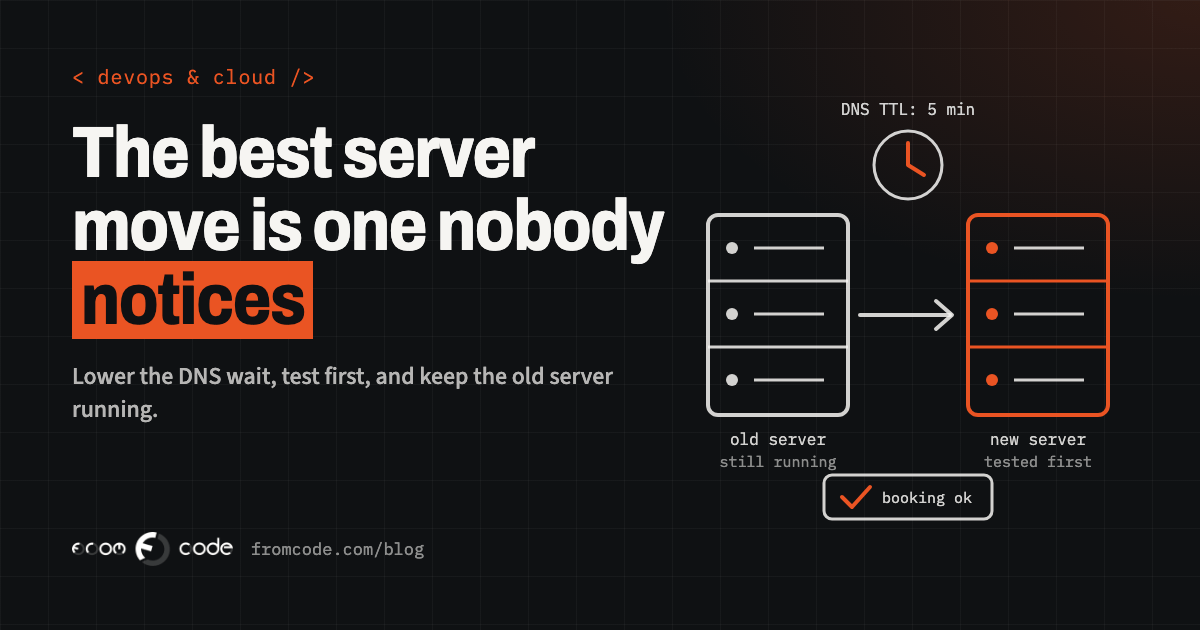
When a domain is pointed at a new server, the change does not reach everyone at once. Each DNS record carries a setting called TTL, "time to live", which tells computers around the world how long they may keep using the old answer. If it is set to a day, some visitors keep arriving at the old server for up to a day after the switch. That is what split the clinic's patients between two servers.
The fix costs nothing and has to happen early: a few days before the move, lower the TTL on the website's records to a few minutes. On the day, the change then spreads in minutes rather than hours, and if something is wrong, switching back is just as quick. Once the move has settled, raise it again.
Build the new home next to the old one
The old server keeps running throughout. The new one is set up completely beside it: the same software versions, the same settings, a fresh copy of the database and files, the scheduled jobs, the backups. If the system already runs in containers, this part is much easier, because the same package that runs today runs on the new machine without anyone rebuilding it by hand.
Nothing about the public site changes yet. Patients keep booking on the old server as if nothing were happening, because for them nothing is.
Look at it before anyone else does
A new server can be tested under the real domain name before anyone else is sent to it. A developer can tell their own computer, and only theirs, that the domain now lives at the new address, with a one-line entry in what is called the hosts file. Their browser then shows the new server, while everyone else still sees the old one.
Use that to go through what people actually do: open the main pages, make a test booking, send the contact form, log in to the reception screens, upload a document, and check that a reminder e-mail goes out. The pages everyone looks at rarely break; the quiet paths behind a login or a form are where the surprises are.
The certificate is ready before the switch
The padlock in the browser comes from a certificate, and the new server needs its own before visitors arrive. Free certificates such as those from Let's Encrypt are usually issued after a check that the domain points at the server asking for one, which is awkward while it still points at the old server. The common answers are to prove control of the domain through a DNS record instead, or to copy the current certificate across for the first days.
While you are there, make sure renewal is automatic and watched, because certificates are getting shorter. Let's Encrypt has published a schedule that moves its standard certificates from 90 days to 64 days on 10 February 2027 and to 45 days on 16 February 2028, with a 45-day option available since 13 May 2026. A renewal someone does by hand, or a script that renews on a fixed number of days, will not keep up. A move is the right moment to set renewal up properly, together with an alert that fires well before a certificate runs out.
E-mail leaves by a different door
The domain carries separate records for e-mail, and they are not the website's records. If the move also changes where the domain's records are managed, every one of them has to be recreated in the new place: the records that say where mail is delivered, and the ones that tell other mail servers your messages are genuine. Miss the first and incoming mail bounces. Miss the second and your appointment confirmations start landing in spam.
The simplest rule: move the website and move e-mail as two separate jobs, on different days. Before the website move, export or write down every existing record, and compare the list afterwards, line by line. If the site sends its messages through the server it lives on, check that those settings came across as well.
The data that changes during the move
The copy of the database on the new server is out of date the moment it is made, because patients keep booking. Two servers accepting bookings at the same time is exactly how the clinic ended up with two people at 9 o'clock.
For most small systems the honest answer is a short, planned pause. Pick a quiet time, put the old system into a read-only or maintenance mode, take a final copy of the data, load it on the new server and switch. Tell people in advance; a notice saying online booking is paused early on Sunday morning costs nothing and annoys nobody. Larger systems can avoid even that with database replication, where the new server follows every change on the old one until the switch, but it is more work, and a planned pause is often the more sensible choice.
The switch itself
With all of that done, the switch is the least dramatic part of the move:
- pause changes on the old system
- take the final copy and load it on the new server
- point the domain's website records at the new address
- watch the uptime check and the error log, and make a real booking from a phone on mobile data
- open bookings again
Because the TTL is short, most visitors reach the new server within minutes. Because the old server is still running, switching back is the same step in reverse.
Back at the clinic. Monday: everything the old server does is listed, and the TTL is lowered. Tuesday to Thursday: the new server is built beside the old one and tested from a single computer, with its certificate in place and renewal checked. E-mail stays exactly where it is.
Sunday, early morning: bookings pause, the final copy is made, the domain moves, and a test booking goes through from a phone. A little later, bookings open again. On Monday the reception desk notices nothing at all, which is the whole point.
Keep the old server for a while
Cancelling the old plan on the day of the move is the most expensive saving in the whole job. Keep the old server running, untouched, for at least a couple of weeks. It is the way back if something turns up, and it is the place to look when someone asks where a file went.
Before switching it off, take one last full backup of it and keep that copy somewhere else. One extra month of hosting costs far less than finding out, weeks later, that a folder of scanned documents never came across.
The first week on the new server
A move is finished when the new server has quietly done a normal week of work, not when the domain points at it. During that week, check that the scheduled jobs ran, that backups were made and that one of them actually restores, that reminder e-mails went out, and that monitoring alerts reach a real person.
Then raise the TTL again, update the documentation with the new addresses and accounts, and make sure the new hosting account is in the business's own name, with the developer invited to it rather than owning it.
Five questions to ask before anyone starts
If someone else is doing the move for you, five questions show whether it is planned:
- What does the old server do besides the website, and where is that written down?
- When will the waiting time on the domain's records be lowered?
- How will the new server be tested before the switch?
- What happens to bookings and e-mail during the move?
- How long does the old server stay, and how do we switch back?
Clear answers to those five mean the move is very likely to be invisible. That is the aim: the best server move is the one nobody at the clinic remembers.
Is a server move on your list?
Discuss your projectTell me what your system does today, and I will tell you what moving it involves.