
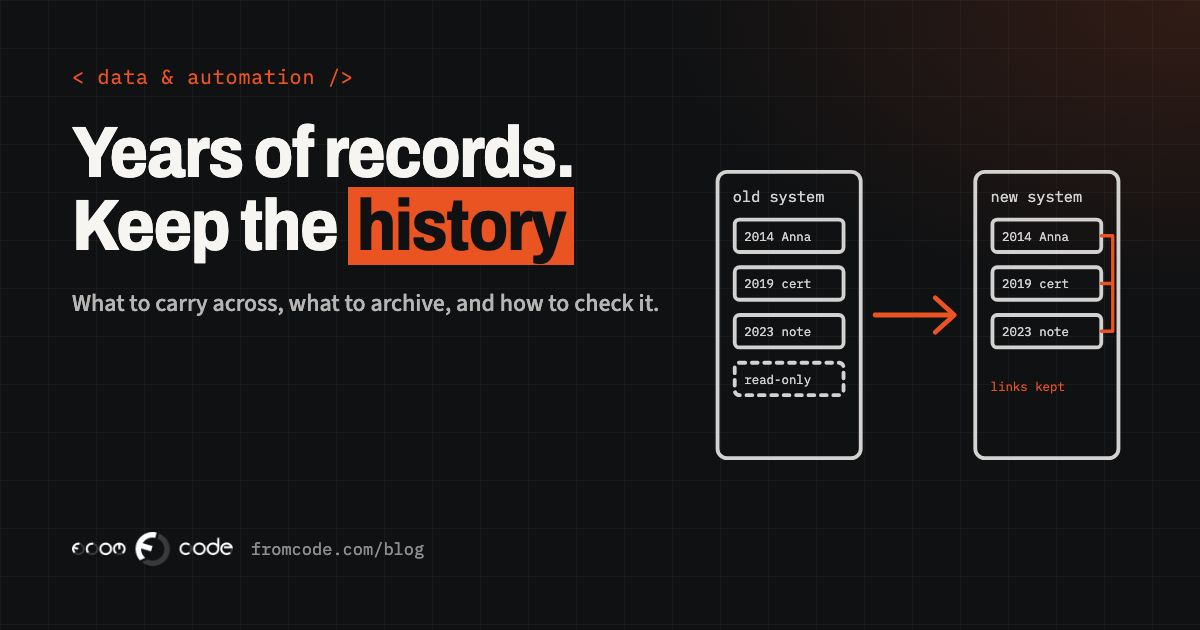
Picture a training school that has run for twelve years. Somewhere in its old system sit every student, every course they took, every certificate issued and every note a colleague typed after a phone call. Now the school is moving to a new system, and one worry comes up in every meeting: what happens to all of that?
It is a good worry to have, because it points at the part of a move that deserves the most care. The new screens are the visible part. The history is the part that makes the new system useful on the first Monday, when a returning student phones and the person answering can see who they are.
What follows are five things people commonly believe about moving years of records, and what is true instead. Each one has a practical answer, and none of them needs a technical background to follow.
What "the history" really is
In a business system, history is more than a list of old rows. It is three things at once: the facts (who, what, when, how much), the links between them (this certificate belongs to this student on this course), and the dates that give them meaning (when the student first enrolled, when the note was written).
A move can carry the facts across and still lose the other two. A certificate that no longer points at its student is a line of text. A note dated the day of the move instead of the day it was written tells a colleague nothing. When people say "we lost our history", this is usually what happened: the rows arrived, the meaning did not.
Keeping that in mind makes the five points below easier to judge.
Myth 1: what does not come across is lost
Myth: once the old system is switched off, whatever did not come across is gone.
Reality: the old system can stay available for a while, kept so that people can look but not change anything. Capsule, a CRM vendor, describes the same approach in its migration plan: freeze the old system as read-only on the agreed date, keep it accessible for a few weeks as a safety net, then retire it once the team trusts the new one (Capsule's four-week plan).
This changes how the whole move feels. Nobody has to be certain that every single record arrived, because there is a place to check the odd one that looks off. The question "is the new number right?" gets an answer by opening the old record, not by guessing.
What it needs is a decision made in advance: for how long, who can open it, and who is responsible for finally closing it. A safety net with no end date quietly becomes a second system that someone has to pay for and keep secure.
Myth 2: all of it has to move
Myth: twelve years of records means twelve years of records in the new system.
Reality: most days, people need the recent past. The old past needs to be findable, which is a different thing from being on every screen.
HubSpot's guide to CRM data migration suggests moving roughly twelve to eighteen months of activity history into the new system and keeping everything older in a read-only archive (HubSpot). That is a rule of thumb from one vendor, not a standard, and your own number depends on the business: a school that issues certificates may need every certificate reachable for as long as it is valid, while the notes from a phone call in year three may only need to be searchable.
A simple way to decide is to sort the records into four groups: needed every day, needed sometimes, needed only to prove something, and no longer needed by anyone. The first group moves in full. The second moves with its links. The third goes into an archive that can be searched. The fourth is a decision for the owner, ideally written down, with a name next to it.
There is a bonus. A move that carries less is faster to check, and a new system that starts clean is quicker for everyone to use.
Myth 3: the dates will sort themselves out
Myth: dates sort themselves out.
Reality: a careless import often stamps every record with the day it was loaded. One migration write-up lists exactly this among the common problems: created and updated dates reset to the migration date, which breaks reporting (RudderStack).
For the training school, that would mean twelve years of students all appearing to have enrolled on one Tuesday in November. Reports on how many joined each year would show a single tall bar, and a colleague reading a note would have no idea whether it was written yesterday or in 2016.
The fix is to treat the original dates as data in their own right: the moment a record was created, the moment it last changed, and who did it. When the new system allows it, these are loaded as they were. When it does not, the original date goes into a field of its own, visible on the record, so nobody has to trust the load date.
Also worth carrying: the old system's own record number, kept on every new record. It costs almost nothing, and it means that a question years later, "which record was this before the move?", has an answer.
Myth 4: matching counts mean it worked
Myth: if the number of records matches, the move worked.
Reality: counting rows tells you how many arrived. It does not tell you whether they still belong to each other.
The same sources describe how links get dropped: the new system receives a certificate before it has received the student it belongs to, and the connection is lost. The result is orphaned records that look fine in a count and fail when a person clicks through.
Checking links is a human-sized job if you choose the sample well. Take twenty or so real records from different years, including the awkward ones: a student who changed name, a course that was renamed, a certificate that was reissued. Open each in the old system and in the new one, side by side, and compare what a colleague would actually look at: the person, their courses, their certificates, their notes, the dates. Add a few totals that the business already trusts, such as the number of active students or the amount invoiced last year, and compare those too.
If the sample is clean, the move can go on. If not, you have found the problem on a quiet afternoon, not in front of a customer.
A good test of a migration is the phone call. Choose three or four customers you know well, with long histories and something unusual in them, and imagine each one phoning on the first day. Can the person answering see what they attended or booked years ago, and who spoke to them last? If the answer is yes for those few, it is very likely yes for the rest.
Myth 5: the switch is one day
Myth: switching over is a single day.
Reality: the safest way to move is in a few steps, and the day itself is the shortest of them.
A practical order, in the shape Capsule and others describe: a first full copy into the new system, some weeks before, to see what breaks; fixes and a second copy; a short freeze, with the old system read-only; a final top-up import of whatever changed since the big copy, which Capsule recommends running right before cutover; and then everyone works in the new system from an agreed time.
The weeks before are the useful part, because mistakes in the first copy are cheap. The freeze is short because people are waiting for it to end, so it should be planned for a quiet hour, not squeezed into the middle of a busy week.
Keep the scripts and the notes of what was changed. If someone asks in a year why a record looks the way it does, there is a written answer.
What I would do, step by step
If I were doing this for a business like the school, this is the order I would follow:
- Write down what the history is for. Which questions must it answer on a normal Monday, and which only on a rare day?
- Sort the records into needed every day, needed sometimes, needed only to prove something, and not needed.
- Export one real month first and explain every column to someone who has never seen the system. The columns nobody can explain are where the unwritten rules live.
- Decide how the old dates and the old record numbers are kept.
- Run a trial copy and compare a sample side by side, including the awkward records.
- Choose the end of the safety net and the person who closes it.
- Plan the final top-up and the short freeze.
None of these steps is large. Together they turn "we hope nothing is lost" into "we checked, and here is what we checked".
Five questions for whoever does the move
When a business hands this to a developer or a supplier, a few questions make the plan visible:
- Which of our records will be in the new system, and which will be in an archive?
- Will the original dates and the old record numbers be kept, and where will we see them?
- How will we check that links between records survived, and may we help choose the sample?
- How long does the old system stay readable, and what happens at the end of that time?
- Who keeps the export files, and when are they deleted? Those files hold customer data, and Capsule's own advice is to keep them somewhere secure and delete them when the migration is complete.
A clear answer to each tells you the move has been thought about. A vague one is worth a conversation before anything is copied.
Where this leaves you
Twelve years of records is an asset, and the move is a chance to make it easier to use than it ever was: cleaner, searchable, with the dates and links intact. The people who work with it every day are the best judges of whether it arrived properly, so they belong in the checking from the start.
If you are planning a move like this, my services page shows how I approach it, and the posts below cover the neighbouring questions.
What is the one record your team would be lost without?
Discuss your projectTell me about the system you are moving from, and we can work out what must come across.