
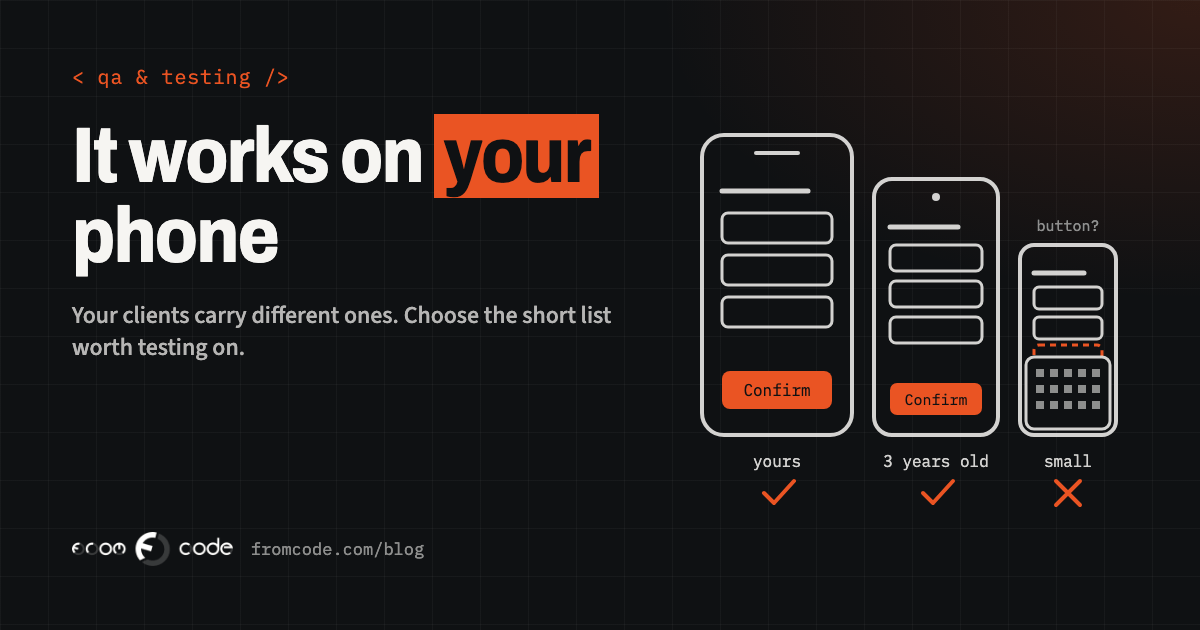
The app has been on your own phone for three weeks. You have booked test appointments with it over breakfast, shown it to your partner, and approved every screen. On launch day a long-standing client rings the front desk: the "Confirm booking" button is not there. It is there, of course. It is sitting underneath the keyboard on a phone that is smaller and three years older than yours, and no amount of scrolling brings it up.
Nothing was built carelessly. The app was tested, on the phones that happened to be in the room. So the useful question is a practical one: out of the thousands of phone models in people’s pockets, which handful should your app be tested on before each release, and who decides that?
This article answers it for a business owner who is paying for an app, whether it is for a clinic, a school, a studio or a service company. You do not need to test anything yourself. You do need to know what a sensible answer looks like, because the list of test phones is a business decision as much as a technical one.
Why your own phone tells you so little
The phone of the person who commissions an app, and the phones of the people who build it, have a lot in common. They tend to be recent, fast and large. They run the newest version of the system, because their owners update on the first evening. They sit on good office Wi-Fi. They have plenty of free space. The text size is whatever it was when the phone came out of the box.
They also carry history. You are already signed in. You already allowed notifications, the camera and your location weeks ago, so you never see what happens when someone taps "Don’t allow". Your test account has a short name and one tidy appointment in it.
A phone like that proves the app can work. It says very little about how it behaves for a new client who installed it two minutes ago on a mid-priced phone, with large text switched on because the default is hard to read. That client is far more typical than you are.
What actually differs from phone to phone
From the outside, phones look alike: a glass rectangle. For an app, a few differences matter far more than the brand.
- Screen size. The same screen that feels roomy on a large phone loses its last row of buttons on a compact one. When the keyboard opens, a small screen has room for two fields and nothing else.
- Text size. Both iPhone and Android let people enlarge all text, and many do. A label that fits in one line at the default size wraps to three at the largest, and pushes whatever was below it off the screen.
- System version. Each year brings a new version of iOS and Android. People on older versions get a slightly different keyboard, different permission questions and sometimes different behaviour from the same code.
- Speed and memory. A list that scrolls smoothly on a flagship can stutter on a budget phone, and a heavy screen can be closed by the system when memory runs short.
- Battery saving. Many Android makers add their own power-saving rules, which decide whether your reminder arrives on time or an hour later.
- Connection. The waiting room, the basement car park and the train are where apps really get used.
None of this is exotic. It is simply invisible from a single new phone on a desk.
Start from the numbers you already have
You do not have to guess which phones matter. The numbers already exist, in three places.
If the app is live, both stores show you what it is installed on. App Store Connect and Google Play Console list the device models and system versions of your real users. If the app is new, your website’s visitor statistics show the phones and screen sizes of the people who already come to you, and they are the same people who will install the app. And if neither exists yet, ten minutes at the front desk, noticing what clients put on the counter, is a perfectly respectable start.
It helps to know the general picture too. Apple publishes how its own devices are spread: measured on 7 June 2026, 79% of all iPhones were on iOS 26, the then-current version, and 86% of iPhones introduced in the last four years. Read the other way round, about one iPhone in five was on an older version, and that is on the platform where people update fastest. On Android the spread is wider, because every maker sends out updates on its own schedule and many affordable phones receive only a few.
Your own figures always win over the general ones. A physiotherapy practice with many older clients and an app for a design school will see two very different lists.
A short list beats a long one
The goal is not to cover every phone. It is to choose a few that stand in for everyone. For most business apps five or six devices do it:
- The most common iPhone among your users, on the current iOS.
- A compact iPhone, the smallest screen you still see in your numbers. This is where buttons vanish under keyboards.
- An iPhone one system version behind, for the one in five who have not updated.
- A mid-priced Android from the most common maker in your market, two or three years old. This is the typical Android customer.
- A slow, inexpensive Android on the oldest version you promise to support. If the app is usable here, it is comfortable everywhere else.
- A tablet, only if your staff or clients really use one, for example at reception.
Write the list down with model names and system versions, and review it twice a year against the store figures. A short list that is actually used before every release protects you far better than a long one that nobody has time for.
Decide the oldest phone you support, and write it down
Every app has a floor: the oldest system version it will install on. Someone has to choose that floor, and it is better chosen on purpose.
Set it low and more people can install the app, at the price of more testing and some newer features being held back. Set it high and the app is simpler to build and keep healthy, while a slice of your clients sees "not compatible with this device". Neither is wrong. What matters is that you made the choice knowing which of your clients sit below the line, and that you have another way to serve them, such as the same booking on the website.
Ask for the floor in plain words: "iPhones from this model onwards, Android from this version onwards", together with the share of your current users it covers. Then revisit it once a year, when the new system versions arrive.
Much of what goes wrong on other people’s phones comes from settings, and settings can be tried on any phone, including yours. Before a release, each important screen deserves five minutes with these switched on, one at a time:
- The largest text size. Is every button still reachable, and every label readable?
- Dark mode. Is there any dark text on a dark background, or a logo that disappears?
- A long name and a long language. "Dr Aleksandra Konstantinova-Petrova" and a German or Bulgarian translation stretch every line.
- Battery saver on. Do reminders still arrive?
- Permissions refused. Tap "Don’t allow" for notifications, camera and location. Does the app explain itself and carry on?
- Aeroplane mode halfway through. Does the booking survive, or does the screen go blank?
This costs nothing and regularly finds more than a drawer full of devices does.
What a real phone shows that a simulator cannot
Developers work with simulators: a picture of a phone on the computer screen, running the app. They are excellent for layout. In a minute you can see the same screen on ten sizes, which no drawer of phones can match.
What a simulator borrows is the computer’s speed, memory and connection. So it cannot tell you how long the first screen takes on a three-year-old budget phone, whether the keyboard of that particular maker covers the button, how the camera behaves when a client photographs a referral letter, whether a reminder gets through the battery saver, or what the app does when the signal drops between two floors.
The sensible split is simple. Simulators for every screen, every day. Real phones from the short list for the paths that matter, before every release: sign in, book, pay, receive the reminder.
Phones you can borrow: device labs and friendly testers
You do not need to own every phone on the list. Three sources fill the gaps, and two of them are already included in what you pay the stores.
Google runs a device lab for you. When a new Android build is uploaded to Google Play Console, a pre-launch report is generated automatically, as capacity allows: the build is installed on devices in Google’s lab, a crawler taps, types and swipes through it for several minutes, and the report lists stability, compatibility, performance and accessibility findings. It is free, and it is worth asking whoever builds your app to show you the latest one.
Apple gives you people instead of machines. With TestFlight a test version can go to as many as 10,000 outside testers by e-mail or a public link, and you can set criteria such as device type and system version for who joins. Twenty friendly clients with twenty different phones are a better test than any lab, as long as someone reads what they send back.
The third source is the simplest: your own staff. Their phones are a fair sample of your town.
Who tests what, before each release
Device testing works when it is a small routine, not an event. One page is enough:
- The paths. The four or five things the app exists for. For a clinic: sign in, book, reschedule, pay a deposit, get the reminder.
- The phones. The short list, with who holds each one.
- The settings round. Large text, dark mode, refused permissions, no connection.
- The result. A tick or a note per path and per phone, with a screenshot when something looks wrong.
Run it before every release that touches those paths. On a small app it takes an hour or two, and it is the hour that decides whether release day is quiet.
Automated tests help here as well, because they can repeat the same path on several screen sizes overnight. They complement the round with real phones. They do not replace a person noticing that the button is technically visible and practically unreachable with one thumb.
When it only happens on one client’s phone
Even with a good list, a client will one day report something nobody else sees. That report is valuable: it is a phone your list does not represent yet.
Three details turn it from a mystery into a fix: the phone model, the system version, and the app version, all of which sit in the phone’s settings and the app’s "About" screen. A screenshot or a short screen recording does the rest. If your app shows its version number somewhere easy to find, the front desk can collect all of this in one short call.
Then close the loop. If the report points at a kind of phone you are missing, a compact screen or a particular maker, add one to the list. Over a year or two the list becomes a portrait of your real clients, drawn from what actually happened.
What it costs, and what it gives back
A handful of second-hand phones costs little next to the app itself, and they stay useful for years; the slow, old one becomes more valuable with age. The real cost is time: the hour or two before each release.
What it buys is easy to underestimate. A client who cannot finish a booking rarely reports it. They ring instead, or they quietly stop using the app, and a low rating in the stores stays visible long after the fix. Finding the hidden button on your own slow Android, a week before launch, is the cheapest moment there will ever be to find it.
Questions to ask whoever builds your app
If someone else builds the app, these questions get you a clear picture in one conversation:
- Which phones and system versions do you test on before a release, and why those?
- What is the oldest iPhone and the oldest Android version the app supports, and what share of my users does that cover?
- Do you test with large text, dark mode and refused permissions?
- Which paths are checked on real phones, and which only in a simulator?
- Can I see the latest pre-launch report from Google Play?
- When a client reports a problem on their phone, what do you need from us to reproduce it?
Good answers are short and specific: model names, version numbers, a page with ticks on it. If the list does not exist yet, drawing it up together from your store figures is an afternoon well spent, and it is exactly the kind of work I like to do at the start of a mobile project.
Which phones do your clients really use?
Discuss your projectTell me what the app does and who uses it, and I will suggest the short list worth testing on.