
A dental clinic in a city full of foreign students and people who moved there for work gets the same phone call every week: "Do you have the website in English?" The owner decides it is time. The site already works well in Bulgarian, so the plan sounds simple: translate the pages, add a little flag in the corner, done.
Then the first English-speaking patient books online and receives a confirmation e-mail in Bulgarian. The reminder text the day before arrives in Bulgarian too. The booking form says "Невалиден телефон" when they type a London number. And when someone searches in English for a dentist in that city, the clinic's English pages are nowhere to be found.
A site in two languages is a good investment, and it is very achievable. It just involves more than the words on the pages. Below are five things owners usually believe about a second language, what is actually true, and what to ask for so the second language works as well as the first.
Why the words are now the easy part
It has never been easier to produce a translation. AI tools turn a page of text into a decent draft in seconds, and browsers translate pages for visitors on their own. Since Chrome 138, Chrome on desktop even offers websites a built-in Translator API that translates text on the visitor's own computer, with no outside service involved.
That makes the words the cheap part. What still takes thought is everything around them: how search engines find each language, how a visitor gets to the right one, what the system sends after they have left the page, and who keeps both languages up to date next year. Those are the decisions this article is about.
Myth 1: a translation plugin gives me a second language
The most common shortcut is a translation widget: a small button that runs the page through an automatic translator when a visitor clicks it. It looks like a second language, and for a visitor already on your site it is better than nothing.
For everyone who has not found you yet, it does very little. A widget usually translates the page inside the visitor's browser, so there is no English page at its own address for a search engine to find and show. Google's own advice for multi-language sites is clear on this: it recommends a different URL for each language version rather than switching the language with cookies or browser settings.
In practice that means /en/ and /bg/ (or two domains, or subdomains), each with real pages a person can link to, bookmark and share. A patient who sends a friend the link to your English price list should send them the English price list, not a Bulgarian page that may or may not translate itself.
Myth 2: translation means the words on the pages
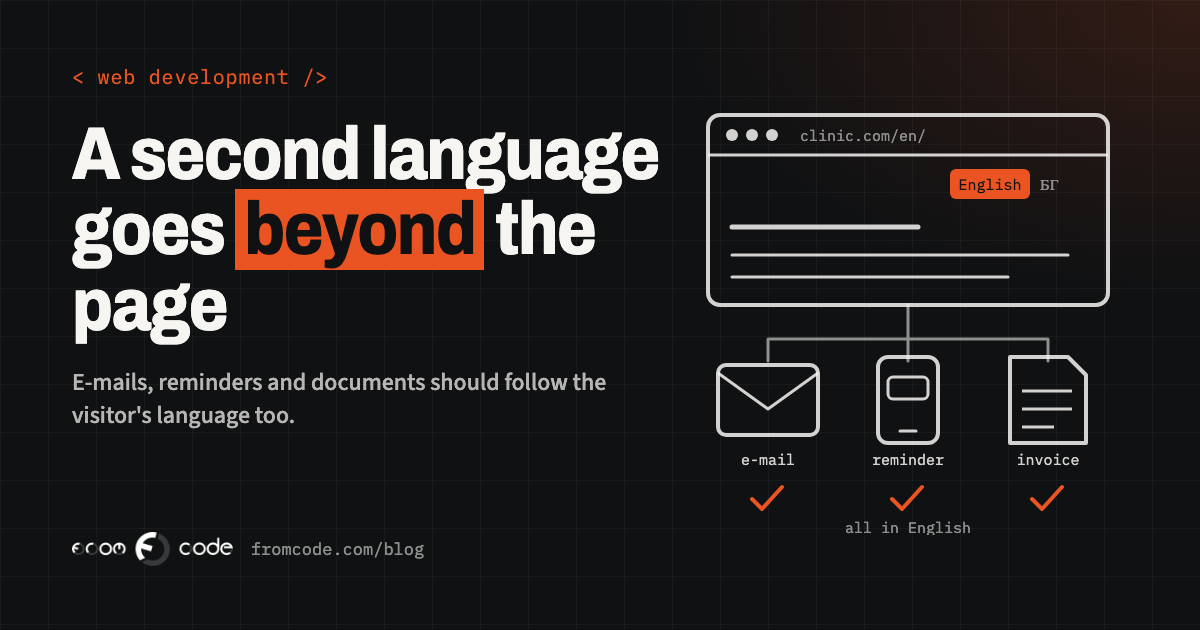
Think about everything the clinic's system says to a patient that is not on a web page:
- the booking confirmation e-mail and the reminder text message
- error messages in forms ("this time slot is no longer free")
- PDF documents: a treatment plan, an invoice, a consent form
- the subject line of every automatic e-mail
- page titles and descriptions that appear in search results and when a link is shared
- the text inside images, buttons and pop-ups
Each of these needs to know which language the patient chose, and the system has to remember it. The simplest rule is to save the language on the patient's record the moment they book, and let every message after that use it. A patient who booked in English should get every e-mail, reminder and document in English, including the ones sent weeks later.
Formats change too. Dates are written differently, phone numbers arrive with country codes, names may come in another alphabet, and addresses have different shapes. A form that only accepts a Bulgarian mobile number quietly turns away exactly the visitors the English version was built for.
Myth 3: the site should detect the visitor and switch for them
It seems helpful to guess: a visitor from a foreign IP address or with an English browser goes straight to the English site. In reality the guess is often wrong. A Bulgarian living in London wants the Bulgarian site. A foreign student in Sofia using a work laptop set to Bulgarian wants English. Someone using a VPN appears to be in another country altogether.
Google advises against it as well. Its guidance says to avoid automatically redirecting visitors from one language version to another, and points out that its crawler usually comes from the USA, so a site that switches language on its own can hide its other versions from search.
What works better is simple: a visible language switcher on every page, in the same place, with each language written in its own language ("English", "Български") rather than flags, because a flag is a country and many languages are spoken in many countries. Remember the visitor's choice. If you want to help a first-time visitor, a small, polite suggestion ("This page is also available in English") does the job without taking the decision away from them. The switcher should also lead to the same page in the other language, not back to the home page.
Myth 4: machine translation is either good enough or useless
Machine translation, and AI translation in particular, has become genuinely good at a first draft. It is fast, it is consistent, and for long informational pages it saves real time. The mistakes it makes are the dangerous kind, though: a sentence that reads smoothly and says something slightly different. On a clinic's site, "may cause sensitivity" and "will cause sensitivity" are not the same promise.
Google does not ban translated content, but its spam policies name the risk directly: generating many pages through automated transformations "like synonymizing, translating" where little value is provided to users counts as scaled content abuse. The test is whether the pages are useful to a reader, not which tool wrote them.
The sensible middle path:
- use AI or machine translation for the first draft
- keep a short glossary of your own terms (services, the names of treatments, how you address patients) so they are translated the same way everywhere
- have a fluent speaker review the pages that matter most: services, prices, anything about health, money or safety, and every message the system sends
- translate fewer pages well rather than every page badly; a smaller English site that is accurate beats a large one that is not
Myth 5: once it is translated, it is done
The translation project ends. The site does not. Six months later the clinic adds a new service, changes its opening hours and raises a price, and someone updates the Bulgarian pages on a busy afternoon. The English site now says something different, and nobody notices until a patient turns up at the old opening time.
This is where most second languages slowly fall apart, and it is mainly a question of how the admin is built:
- every piece of content has a field for each language, side by side, so editing one makes the other visible
- the admin shows clearly what is missing or out of date in the second language
- if a translation is missing, the site says so honestly, or shows the original with a note, rather than an empty block or a half-translated page
- one person is named as responsible for the second language, even if it is an hour a month
When the admin makes the gap visible, keeping two languages in step becomes a small routine instead of a yearly rescue.
The design has to stretch
Text in another language is rarely the same length. A short Bulgarian button label can become a long English phrase, and German, if you ever add it, is famously long. A design built around the exact length of one language breaks in another: buttons that wrap onto two lines, menus that overflow, headings that push the image off the screen on a phone.
Before launch, look at every key page in both languages on a real phone, not only on a desktop screen. It takes an afternoon and catches most of the problems a visitor would otherwise find for you.
Telling search engines which page is which
For search engines to show the right language to the right person, each version of a page should say which other versions exist. This is done with small tags in the page called hreflang. Google's rule is that each language version must list itself as well as all the other versions; if the English page points to the Bulgarian one but the Bulgarian page does not point back, the tags can be ignored.
Two more details from the same guidance matter. Google works out a page's language from its content, not from the tags, so a page should use one language for both its text and its navigation, rather than a Bulgarian menu around English text. And an "x-default" version can be named for visitors whose language you do not offer.
None of this is something an owner needs to write by hand. It is something to ask the developer about, and to check once in Google Search Console after launch.
Back at the dental clinic. The English pages live at their own addresses, with a switcher at the top of every page that says "English" and "Български" and lands on the same page in the other language. A fluent speaker checked the treatment and price pages after an AI draft, using a short glossary the clinic wrote once.
When a patient books in English, that choice is saved on their record. The confirmation, the reminder the day before, the treatment plan and the invoice all arrive in English. The phone field accepts any country code. And when the price list changes, the admin shows the English price as out of date until somebody updates it. The English site is smaller than the Bulgarian one, and every page on it is right.
Before you start: questions to ask
If you are planning a second language, these questions will tell you quickly whether the plan covers more than the words:
- Will each language have its own pages at its own addresses?
- How does a visitor switch language, and does the switch remember their choice?
- Which e-mails, text messages and documents does the system send, and will each one follow the visitor's language?
- Who reviews the translation of the pages that matter, and is there a glossary?
- How will the admin show what is missing or out of date in the second language?
- Have the key pages been checked in both languages on a real phone?
Clear answers to those mean the second language will work for the people it was built for. Start with the pages that bring you the most enquiries and the messages your system sends most often. Those two together usually decide whether a foreign visitor becomes a patient, a student or a client.
A door that stays open
A second language is one of the most direct ways to welcome people who were already looking for you. Done properly, it opens a door that stays open: the right page in search, a booking form that accepts them, and every message afterwards in a language they read comfortably. The words are now the quick part. The rest is a handful of clear decisions, made once, at the beginning.
Which language would bring you new clients?
Discuss your projectTell me what your site and system do today, and I will tell you what a second language involves.