
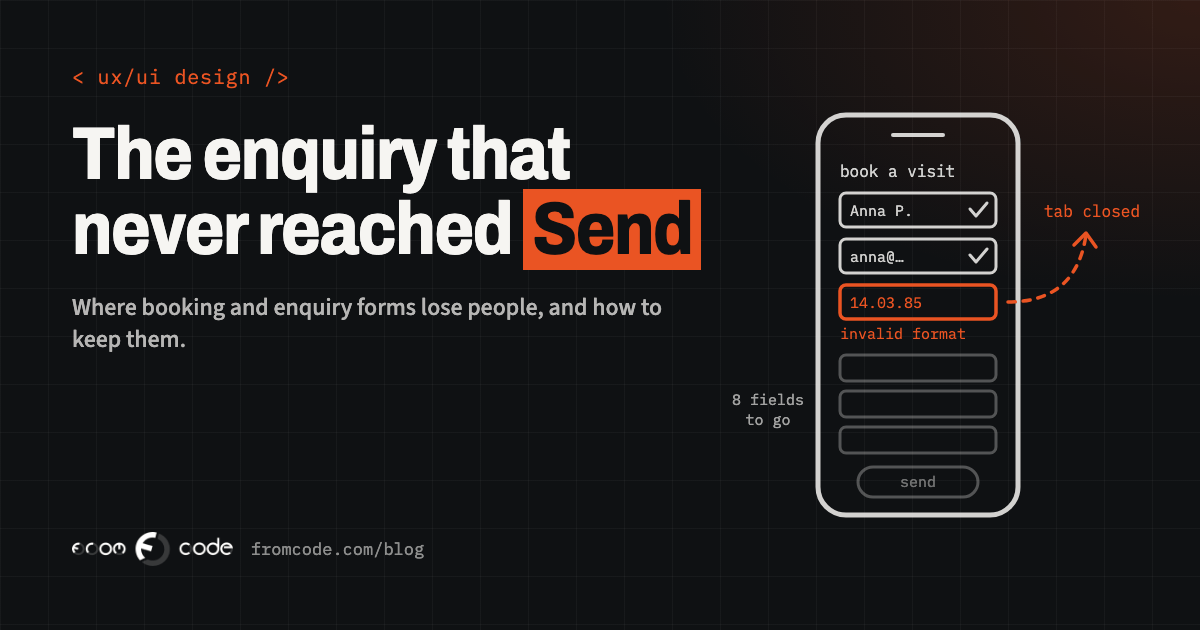
Most businesses meet their new customers through a form. A patient booking a first physiotherapy appointment, a parent asking a language school about evening classes, a facilities manager requesting a quote for a maintenance contract: before any of them talks to you, they fill something in. And a surprising number of them start, get halfway, and quietly close the tab.
You never see those people. They do not complain and they do not ring. They simply become an enquiry that never arrived, and the form keeps looking fine to everyone inside the business, because everyone inside the business already knows what every field means.
This article puts the same form side by side, twice: the way it is usually built, and the way it works when people actually finish it. None of it needs a redesign of your whole site. Most of it is a list of small decisions that someone made once, without watching a real customer use the result.
Where people stop, and why you cannot see it
**Before.** The business knows how many enquiries arrive each week. It does not know how many people opened the form, how many typed something, or which field they were looking at when they gave up. When enquiries drop, nobody can say whether the advertising stopped working or the form did.
**After.** Three numbers are counted: people who saw the form, people who started it, and people who sent it. On a longer form, it is also recorded which field was the last one touched before someone left. You do not need to record what anyone typed for this, and you should not; you only need to know where people stop.
Those three numbers change the conversation. If many people see the form and few start it, the problem is the page around it: it looks long, or it asks for commitment too early. If many start and few finish, the problem is inside the form, and the last-touched field usually points straight at it.
Every question you ask now
**Before.** A clinic's booking form asks for name, surname, date of birth, full address, postcode, two phone numbers, e-mail, how you heard about the clinic, your GP's name, insurance details and a description of the problem, all before a time is chosen. Each field was added by someone with a good reason. Together they turn a two-minute task into a ten-minute one, done on a phone, in a waiting room, with one thumb.
**After.** The form asks for what is needed to book the appointment: who, how to reach them, and when. Everything else is collected later, by e-mail before the visit or at reception on the day, when the patient has already committed and has a reason to answer.
The test for each field is simple: what happens if we do not ask this now? If the honest answer is "we would ask it later", it does not belong on the first form. "How did you hear about us?" is the usual casualty, and it is better asked once someone is a customer, when they are happy to tell you.
An account before anything else
**Before.** To book a trial lesson at a school, the parent must first create an account: choose a password, confirm their e-mail, come back to the site, log in, and only then see the timetable. Somewhere in the confirmation e-mail step, a part of them goes to make dinner and does not come back.
**After.** The booking is made first, with an e-mail address and a phone number. An account is offered afterwards, as a convenience: "Save these details so next time is quicker." Or the account is created quietly from the booking, and the parent sets a password only if and when they want one.
An account is something your system needs to remember someone. It is rarely something the customer needs before they have decided they like you.
When something goes wrong
**Before.** The person fills in everything, presses Send, and the page reloads with a red line at the top: "There were errors in your submission." Some fields are now empty. The date of birth was in the wrong format, though nothing said which format was right. The phone number was rejected because it had spaces in it.
**After.** Each field says what it expects before anyone types: "Date of birth, for example 14 03 1985". A mistake is pointed out next to the field it belongs to, in plain words, once the person moves on from that field rather than while they are still typing. Nothing they typed is ever thrown away. And the form is generous about what it accepts: spaces and a plus sign in a phone number, an e-mail address with a capital letter, a postcode with or without the space. Tidying that up is the system's job, not the customer's.
An error message is the form talking to someone who is already slightly annoyed. "Please enter a valid value" tells them nothing. "This looks like it is missing a digit" tells them what to do.
On a phone, with one thumb
**Before.** On a phone, the e-mail field opens a keyboard with no @ sign. The phone field opens the full alphabet. The browser cannot fill in the name or address it already knows, because the fields are not labelled in a way it understands. The Send button sits just below a link to the privacy policy, and half the taps land on the wrong one.
**After.** Each field tells the phone what kind of keyboard to show, and tells the browser what the field is for, using the standard autocomplete names such as email, tel, given-name and postal-code, so a returning visitor can fill most of the form with one tap. Buttons and links are large enough and far enough apart to hit with a thumb. The current accessibility guideline, WCAG 2.2, published by the W3C on 5 October 2023, set a minimum target size of 24 by 24 CSS pixels for exactly this reason (criterion 2.5.8, unless there is enough space around a smaller target).
None of this is visible in a screenshot of the form on a designer's monitor. All of it is obvious the first time you watch someone fill it in on the bus.
- **Before:** eleven fields, then a time. **After:** a time, then the three fields needed to book it.
- **Before:** create an account first. **After:** book first, save details afterwards if you like.
- **Before:** "There were errors." **After:** the field, the problem and the fix, in one line.
- **Before:** a free-text "preferred date". **After:** only the times that are really free.
- **Before:** a picture puzzle. **After:** quiet checks the person never sees.
- **Before:** "Thank you." **After:** what happens next, and when.
Asking for the same thing twice
**Before.** A three-step enquiry asks for the company's address on step one. Step three asks for the billing address, empty, though for most customers it is the same one. The person types it again, or gives up.
**After.** What someone has already told you is offered back to them: "Same as the company address" ticked by default, the contact name carried from one step to the next. WCAG 2.2 made this a requirement in its own right: criterion 3.3.7, Redundant Entry, says information already entered in the same process should be filled in automatically or available to pick, unless asking again is essential or needed for security.
It sounds like a small courtesy. On a long form it is often the difference between a form that feels as if it is listening and one that feels as if it is testing you.
Proving they are human
**Before.** To stop spam, the form ends with a puzzle: pick every square with a traffic light, or type distorted letters. The spam bots get through anyway, and some of your real customers, especially older ones or anyone on a small screen, do not.
**After.** Spam is filtered in ways the person never sees: a hidden field that only a bot fills in, a check on how quickly the form was completed, a limit on how many messages one address can send in an hour, and a filter on the content before it reaches your inbox. A visible challenge is kept only for the rare case where those checks are not enough.
The same thinking applies to logging in. WCAG 2.2 criterion 3.3.8, Accessible Authentication, asks that signing in does not depend on a memory or puzzle test unless there is an alternative or something that helps, which is one reason a password manager must be allowed to fill the password field and a code sent by e-mail can be pasted rather than retyped.
Choosing a date and time
**Before.** The booking form has a free-text box: "Preferred date and time". The customer writes "Tuesday afternoon if possible". Someone at reception reads it the next morning, checks the diary, finds Tuesday afternoon is full, and starts an exchange of e-mails that takes two days. Some customers book somewhere else in the meantime.
**After.** The form shows the times that are actually free, from the same diary the staff use, and the customer picks one. The booking is confirmed on the spot. If a service genuinely needs a human to look before confirming, the form says so, and says by when someone will reply.
This is the point where a form stops being a web page and becomes part of your business system. It needs to read the real diary and write back to it, safely, so that two people cannot take the same slot. That is more work than a contact form, and it is usually where the biggest gain is.
Saying why you are asking
**Before.** The phone number is required, with no explanation. So is the date of birth. People who are wary of sales calls either leave, or type 0000000000.
**After.** Every field that is not obvious says why it is there, in a few words underneath: "We only call if we need to move your appointment." "Your date of birth lets the physiotherapist find your previous notes." Optional fields are labelled optional, rather than marking the required ones with a small star nobody notices. If you would not be able to explain a field in one honest sentence, that is a sign you do not need it.
After they press Send
**Before.** The person presses Send and sees "Thank you for your message." No e-mail arrives. They do not know whether anyone received it, when they will hear back, or whether they should ring as well. Some send the form again. Some ring. Some assume it did not work.
**After.** The page says exactly what happens next: "Your appointment is booked for Thursday at 10:30. A confirmation is on its way to the address you gave. If you need to change it, use the link in that e-mail." For an enquiry: "I reply to every enquiry within one working day." Only if that is true, of course; write the promise you actually keep. And the confirmation e-mail arrives, from an address that does not land in spam, with the details repeated.
The moment after Send is the first moment of your service. Treat it as one.
When a form really has to be long
**Before.** A twenty-question application for a training course, on one page, with no way to stop and come back. A phone call interrupts at question fourteen and everything is lost.
**After.** The form is split into a few short steps with a clear indication of how many remain, and what has been entered is kept, so someone who leaves can pick up where they stopped. The first step asks the easiest questions, so the person has momentum before the harder ones arrive.
A long form is sometimes unavoidable: an application, a medical history, a detailed quote. It does not have to feel long all at once.
Where the rules come in
Much of the above is good manners. Some of it is becoming an obligation. The European Accessibility Act has applied since 28 June 2025 to a defined list of consumer services and devices across the EU, and the WCAG guidelines are the usual yardstick for what an accessible website or app looks like. Whether the Act covers your particular business depends on what you provide and on your size, and that is a question for a closer look rather than a blog post. But a form that people can finish with a screen reader, a keyboard or a shaky thumb is a form more people finish, whether or not a law asks for it.
Where I would start
If I were looking at your forms tomorrow, I would do it in this sequence:
- Count views, starts and sends for each form, so there is a number to improve.
- Fill in every form myself on an ordinary phone, on mobile data, and write down every moment of hesitation.
- Watch a few real people who have never seen the site do the same, without helping them. This is uncomfortable and it is the most useful hour you will spend.
- Remove every field that can be asked later, and explain the ones that stay.
- Fix the error messages and the phone keyboards, which are cheap.
- Then look at the bigger step: connecting bookings to the real diary, so people choose a time instead of asking for one.
The sequence matters because the first steps are cheap and tell you whether the expensive one is worth it.
Which of your forms do people give up on?
Discuss your projectSend me the link and I will tell you where I would start.