
Picture the office of a small heating and plumbing company on a Monday morning. The office manager opens the shared inbox. There are supplier invoices as PDF attachments, a few photographed on someone's phone, and one that arrived as a scan with a coffee ring on it. There are job requests from customers, written the way people write e-mails: the address in the second paragraph, the phone number in the signature, the actual problem somewhere in between. And there is a pile of paper job sheets the engineers filled in by hand last week.
All of it has to end up in the business system. So the office manager reads each one and types it in again: supplier, date, amounts, VAT, which job it belongs to. Name, address, phone, what is broken, how urgent. It is careful, tiring work, and it fills most of the morning. Every business with an office has a version of this, whether it is a clinic with patient intake forms, a school with application forms, or a workshop with delivery notes.
AI can now read these documents well enough to do most of that typing. This article is about what it takes to make that work in a real business: where it helps, where it quietly gets things wrong, and how to set it up so the office manager checks a few fields instead of retyping everything.
The first attempt: paste it into a chatbot
The first idea most people have is the obvious one: drag the PDF into ChatGPT or a similar tool and ask it to pull out the supplier, the date and the total. And it works, impressively, the first time. The answer comes back neat and confident.
The trouble starts on the twentieth invoice. Copying fields from a chat window into the business system is still typing, just with an extra step. Nobody keeps a record of what the AI read and what a person changed. Invoices and enquiries, with names, addresses and bank details, are going into whichever account the person happens to be logged into. And when a number is wrong, nothing tells you.
That last part is the important one, and it is the reason this is worth setting up properly rather than by hand.
What AI reading actually does now
It helps to be clear about what has changed. Older invoice scanning software read the characters on the page and then relied on templates: this supplier puts the total here, that one puts the date there. A new supplier or a changed layout meant someone had to teach it again.
Current AI models read a document more like a person does. They see the whole page, understand that "Total due" and "Amount payable" mean the same thing, cope with a phone photo taken at an angle, and can often read handwriting that would defeat older tools. You can ask for exactly the fields you need, in the shape your system expects, and get them back as data rather than as a paragraph of text.
That is a real step forward. It means the long tail of small suppliers, odd layouts and handwritten forms, which was never worth building templates for, can now be read too.
Where it goes quietly wrong
Here is the part the demos leave out. When an AI reader is wrong, it is wrong in the same calm, confident tone as when it is right. People who have put these tools into real use describe the same kinds of mistakes again and again:
- **The right number in the wrong field.** On a partly paid invoice, the "amount due" ends up recorded as the invoice total. Every digit was read correctly; the meaning was not.
- **Dates that read both ways.** 03/04 is the third of April in most of Europe and the fourth of March in the United States. A model that guesses will sometimes guess wrong, and the result looks perfectly normal.
- **Tax lines.** Several VAT rates on one invoice, a reverse-charge note, a discount applied before or after tax. The extraction can be accurate while the tax treatment you record from it is not.
- **Reference numbers with one digit off.** A misread invoice number slips past the duplicate check, and the same bill gets paid twice. A job number with two digits swapped attaches the cost to someone else's job.
- **Filling the gap.** When a field is missing or unreadable, a model asked to return it may produce something plausible rather than say it could not find it.
None of these are reasons to give up. They are reasons to never let the AI's answer go straight into your books without checks.
Checks the system can do on its own
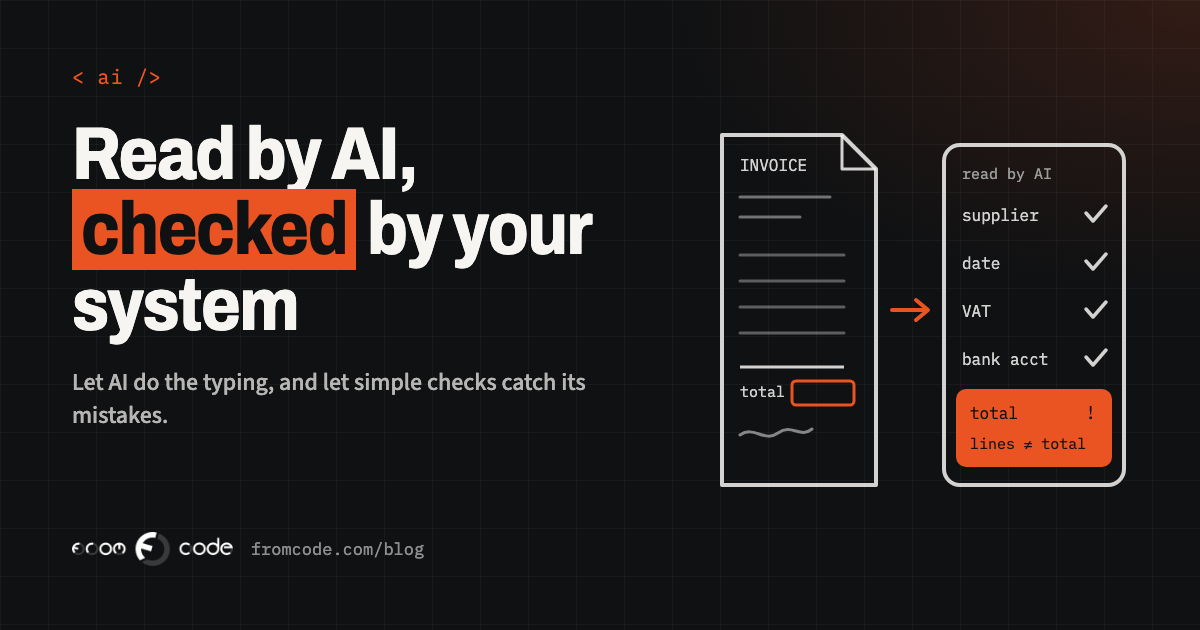
The good news is that most of these mistakes can be caught by plain rules, without any AI at all. Invoices have arithmetic built into them, and your own system already knows a lot about what a sensible value looks like. After the AI has read a document, the system checks:
- Do the lines add up to the subtotal, and does subtotal plus VAT equal the total?
- Is the VAT rate one that actually applies to you?
- Does this supplier exist in your records, and does the bank account match the one you have on file?
- Has an invoice with this number from this supplier already been recorded?
- Does the job or project it refers to exist, and is it still open?
- Is the date plausible, not in the future and not two years ago?
A document that passes every check goes forward. A document that fails one goes to a person, with the reason written next to it: "lines do not add up to total", "bank account differs from the one on file". That second check matters for more than typing errors. A changed bank account on an otherwise normal-looking invoice is a well-known warning sign of invoice fraud, and it is exactly the kind of thing a tired person retyping the fortieth invoice can miss.
A person approves, but only what needs eyes
A person still approves, but the job changes. Instead of reading every document and typing every field, the office manager sees a short list of what needs attention, with the original document on one side and the fields the AI read on the other. The uncertain or failed fields are highlighted. Correcting one is a click and a few keystrokes.
Two details make a big difference here. First, the AI should be allowed to say "I could not read this". A blank field that goes to a person is far better than a confident guess that does not. Second, every correction should be recorded: what the AI read, what the person changed it to. After a few weeks, that record tells you which suppliers and which fields cause trouble, and whether the setup is getting better or worse.
Approving a payment stays a human decision. The AI saves the typing; the responsibility stays with the people who sign.
E-mails and forms are a different job
E-mails and forms need a slightly different approach from invoices, because there is no arithmetic to check. A job request is useful when it lands in the right place with the right details: who, where, how to reach them, what the problem is, how urgent it sounds.
Here the AI does two things. It reads the message and fills in the fields, and it sorts it: a new job, a complaint, a question about an existing booking, a supplier offer, spam. A booking question goes to whoever handles bookings; an urgent leak goes to the top of the list.
The checks are softer but still worth having. Does the phone number look like a phone number? Is the postcode real and in the area you cover? Is this an existing customer, and if so, should the request be attached to their record instead of creating a new one? And the same rule applies as with invoices: anything the AI is unsure about goes to a person, labelled as unsure.
What the AI should not do is reply to the customer on its own with a promise. Reading and sorting is safe to automate. Telling someone an engineer will be there tomorrow morning is a decision for a person, or for your booking system, which knows whether it is true.
Some invoices will not need reading at all
Before setting any of this up, check one thing: does the invoice need reading at all? A growing share of invoices across Europe is moving from PDFs to electronic invoices sent as data that software can read directly, with no AI and no guessing involved.
The rules are arriving country by country. In France, the government's business portal states that every company must be able to receive electronic invoices from 1 September 2026, and that small and micro businesses must issue them from 1 September 2027 (Service Public Entreprendre). At EU level, the "VAT in the Digital Age" package was adopted on 11 March 2025, and the European Commission says electronic invoicing and digital reporting will apply to cross-border business-to-business trade from 1 July 2030 (European Commission: VAT in the Digital Age). Other countries have their own dates, and your accountant will know which apply to you.
So the sensible plan has two lanes. Suppliers who can send structured electronic invoices: take the data as it is and run the same checks on it. Everyone else, along with the scans, the phone photos, the forms and the e-mails: that is where AI reading earns its place, and that lane will stay busy for years.
Whose computer reads your documents
Invoices and enquiries are full of personal and financial details: names, addresses, bank accounts, sometimes health information if you are a clinic. Sending them to an AI provider is processing that data, and the usual questions apply. Is the provider used under business terms that say your documents are not used to train its models? Is there a data processing agreement? Where is the data handled?
When the AI step is built into your own system, these questions are answered once, for every document, instead of depending on which account someone happened to use. You also choose what the AI sees. For sorting an e-mail, it does not need the customer's full history. For reading an invoice, it needs the page, and nothing else from your records.
If your business handles health, financial or children's data, it is worth checking with whoever advises you on data protection which documents need extra care.
Start with one kind of document
The most reliable way to start is small and specific. Pick one document type that arrives often, follows roughly the same shape, and is tedious to retype. For many service businesses that is supplier invoices; for a clinic it might be intake forms; for a school, application forms.
Run it alongside the current way for a few weeks. The AI reads every document, the person still does their normal work, and you compare. Where they disagree, find out why. That comparison is the honest answer to "is it good enough", for your documents, rather than for a vendor's examples.
Then switch the person from typing to checking, keep the corrections log running, and only after that add the next document type. Each one you add should go through the same steps.
What to measure
It is tempting to measure success by the percentage of documents that go through without anyone touching them. That number is useful, but on its own it rewards the wrong thing: a setup that never asks for help will look excellent until the day a wrong total reaches your accounts.
Two numbers together tell the real story. How many documents needed a person, and how many mistakes were found later, after a document had been approved. The first should go down over time. The second should stay as close to zero as you can make it, and when it is not, the corrections log tells you where to tighten a check.
And keep an eye on the person doing the checking. If the list of documents needing attention grows so long that people start approving without looking, the checks are too loose or the AI is the wrong fit for that document type.
- Pick one document type that arrives often and is tedious to retype.
- Ask your main suppliers whether they can send electronic invoices as data.
- Write down the checks: totals, VAT rate, known supplier and bank account, duplicate number, open job.
- Run the AI alongside the current process for a few weeks and compare.
- Switch the person from typing to checking, with the original next to the fields.
- Keep a log of every correction, and review it monthly.
What I would do
Picture the same office a few months later. The inbox still fills up on Monday. But the supplier invoices that arrive as data go straight through their checks, the PDFs and photos are read by the AI and checked the same way, and the job requests are already sorted, with the urgent ones at the top. The office manager spends the first hour of the morning on a short list of documents the system was unsure about, and the rest of the day on work that needs a person.
That is the realistic goal: not a business where nobody looks at an invoice, but one where nobody retypes one, and where every number in the books has either passed a check or been looked at by someone who knows what it should be.
Which documents does your team retype every week?
Discuss your projectTell me what lands in your inbox, and I will tell you which part AI can read safely and which part should stay with a person.