
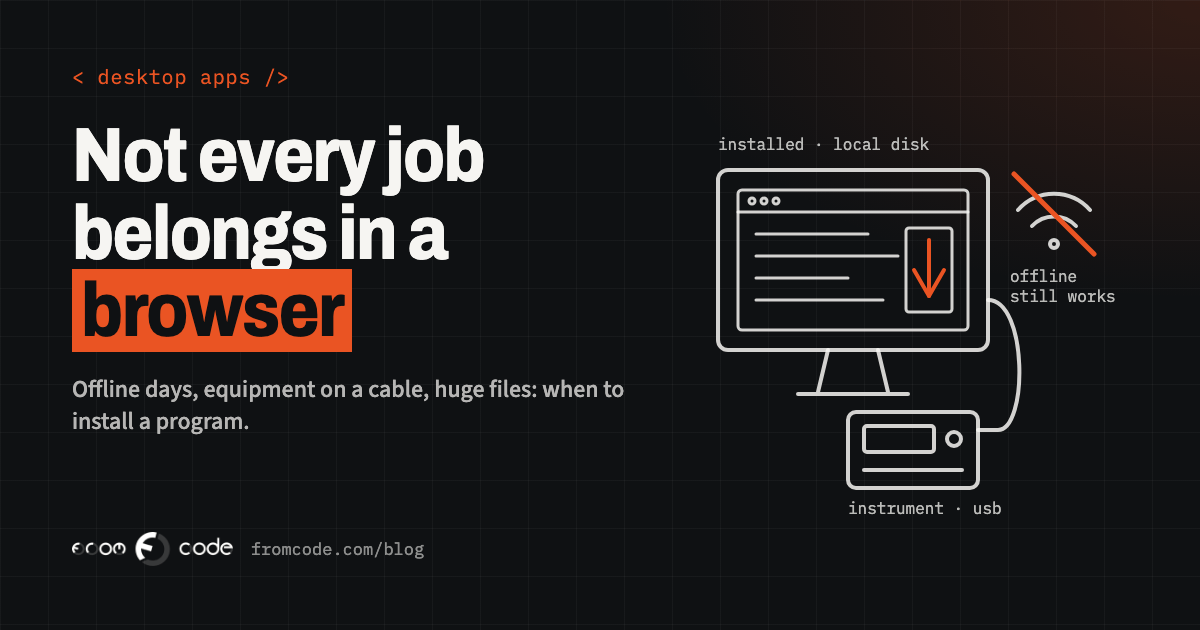
Sooner or later, every business that commissions software hears the same question: should this be something people open in a browser, or a program they install on their computers?
Most of the time the answer is the browser, and most of the time that is right. A web app has no installer, no "which version are you on?", and it works the same on the reception desk, the manager's laptop and the owner's tablet at home. When I start a project, the web is my default too.
But "most of the time" is not "always". There is a short list of situations where a desktop program is still the better tool, and getting it wrong in either direction is expensive: a web app that cannot do the one thing the job depends on, or a desktop program that nobody needed and everyone now has to install, update and support. So the real question is not "web or desktop?" in general. It is: **what does this particular work need from the computer it runs on?** This article goes through the answers that change the decision.
Why the browser is the default, and what it gives you
It helps to be clear about what you give up when you choose a desktop program, because the web's advantages are easy to take for granted.
- **One version for everyone.** When a web app changes, everyone has the change the next time they load the page. Nobody is still running last spring's copy with last spring's bug.
- **Nothing to install.** A new member of staff gets a link and a login, not a technician visit.
- **Any device.** The same system works on Windows, on a Mac, on a tablet, and on whatever computer the business buys in three years.
- **Data in one place.** Records live on a server that is backed up, not on the hard drive of the PC under the desk.
A desktop program has to earn its place against all of that. Each of the questions below is a way it can.
1. Does the work have to continue when the internet stops?
Some work cannot stop when the connection does. A workshop at the edge of town with patchy internet, a site office in a building under construction, a clinic reception that still has to check people in when the line goes down, a vehicle inspection done in a car park.
A web app can be built to keep working offline: it stores what it needs on the device, queues the changes, and sends them when the connection returns. I wrote about how that works in Apps that work on a bad connection. For light work, it is often enough.
Where it gets harder is when "offline" means a full working day, a large amount of data, or several people on the same local network who need to see each other's changes without the internet in between. A browser keeps its offline storage on a leash it controls, and it can clear it. A desktop program keeps its data where you put it, as long as you need it. If the honest description of the job is "it must keep working for hours with no internet at all", that is a strong point for desktop.
2. Does it have to talk to equipment plugged into the computer?
This is the most common reason I see for a desktop program, and the least obvious one to a business owner. The computer is not just a screen; it is plugged into things. A label printer, a barcode scanner that does more than type, a weighing scale, a card reader, a measuring instrument in a lab, a machine on a factory floor that talks over a serial cable.
Browsers can talk to some devices now. Chrome and Edge, for example, can open a serial port to an instrument after the user picks it from a list. But it is not universal: Mozilla's developer documentation marks the Web Serial API as limited availability, "not Baseline", because it does not work in some of the most widely used browsers. In practice that means telling staff which browser they must use, and hoping nobody's computer gets a different one.
A desktop program has none of these limits. It can talk to the device directly, keep the connection open all day, and do it on every machine the same way. If the job is built around a piece of equipment, I start by asking exactly how that equipment connects. The answer often decides the whole project.
3. Is the work heavy, or are the files large?
Some work is simply heavy. A design studio opening large image files, an engineering office working with drawings and 3D models, a practice reviewing scans, someone editing hours of video for a training course.
A web app can show and edit a lot more than it could a few years ago. But every large file has to travel to the server and back, and on an ordinary office connection that is slow. When the files are measured in gigabytes and people open dozens of them a day, the waiting adds up to real hours. A desktop program works on the file where it already is, on a fast local disk, using the full power of the machine.
The test is simple: how big are the files, and how often does someone wait for one? If the answer is "small" and "rarely", the web is fine.
4. Does it have to work with other programs and files on the machine?
Businesses rarely run on one program. There is the accounting software, the spreadsheet everyone uses, a folder where a scanner drops its files, an old program from a supplier that exports a file every night.
A web app lives in a sandbox. It cannot watch a folder, start another program, or read a file the user has not explicitly chosen, and that is a good thing for security. But when the job is "pick up every new file in this folder, check it, and pass it on", or "fill in this other program so nobody retypes it", a desktop program does it naturally and a browser cannot.
Sometimes the right answer is a small one: the main system stays on the web, and a little helper program on one computer does the part that needs the machine. I come back to that below.
5. Do people spend their whole day in it?
People sometimes ask for a desktop program because "web apps are slow". Usually that is not true. A web app that feels slow is usually slow because of how it was built, not because it runs in a browser. A well-built one answers in a blink.
Where desktop still has an edge is with people who sit in front of one system all day and work fast: data entry, scheduling, dispatch, a reception that books dozens of appointments an hour. For them, every shortcut key, every instant search and every screen that never reloads matters, and a desktop program gives full control over the keyboard and the window. Much of that can be done in a browser too, with care, but the browser keeps some keys for itself and some behaviour out of reach.
So this question is not "is the web too slow?" It is: "do a few people spend their whole day in this, working at speed?" If yes, it is worth testing both on them before deciding.
6. Is the data allowed to leave the building?
Some machines should not be on the internet at all. A computer that controls equipment, a workstation in a lab that handles sensitive results, a PC in a place where a rule or a client contract says the data must stay on the premises.
A web app can be installed on a server inside the building rather than in the cloud, and for many cases that is the right answer: the browser is still the interface, but nothing leaves the site. When even that is too much, for instance a single machine that must work completely alone, a desktop program is the natural fit.
The question to ask is not technical. It is: where is this data allowed to be, and who decided that? Get that answer in writing before choosing anything.
What a desktop program costs that a web app does not
If one or more of the answers above points to desktop, it is worth knowing what comes with it, because these costs do not appear in the first version.
- **Updates have to reach every machine.** A desktop program needs a way to update itself, or someone has to install each new version on each computer. Without that, you end up with five versions in use and a bug that "is fixed" for some people and not others.
- **Installers have to be signed.** On Windows, an unsigned installer meets a warning screen that many people will not click past. On a Mac, Apple expects software distributed outside the Mac App Store to be signed and notarised, or macOS discourages people from opening it. Signing needs certificates in the business's name, and they have to be renewed.
- **Old machines become your problem.** A web app runs on whatever browser is current. A desktop program runs on the operating system of each PC in the office, including the old one in the corner.
- **Data on the machine needs a backup.** If the program keeps records locally, those records need the same care as a server: backups, and a test that they restore.
None of these is a reason not to build a desktop program. They are a reason to plan for them from the start, and to include them in the cost.
The operating system your staff actually have
The last point is very real right now. Microsoft ended support for Windows 10 on October 14, 2025. Home users can still enrol in Extended Security Updates, and Microsoft has extended that programme so that, according to the same page, it now ends on October 12, 2027.
Many small offices still have Windows 10 machines on desks. For a new desktop program, that means two things. It should be built and tested for Windows 11, because that is where those machines are going. And if the program is meant to run on the old PCs in the meantime, someone needs to decide how long that lasts, because a computer that no longer gets security updates is not a good place for a program that holds your clients' records.
A web app avoids most of this: as long as the computer runs a current browser, the app does not care which version of Windows is underneath it. That is one of the strongest arguments for the web, and it is worth weighing honestly.
The middle ground
The choice is not always all or nothing. Two shapes in between are common, and often they are the best answer.
**A web app with a small helper.** The main system is on the web, with all its advantages. One small program, installed only on the computers that need it, does the part the browser cannot: talks to the instrument, watches the folder, prints to the special printer. It is small, it changes rarely, and only a few machines need it.
**A web app wrapped as a desktop program.** Tools such as Electron and Tauri take an application built with web technology and package it as a program people install. Electron includes its own copy of a browser engine, which makes the program larger but consistent on every machine. Tauri uses the web engine the operating system already has, which keeps it small, at the cost of small differences between Windows and Mac. Either way, the same code can often run in a browser as well, so the business gets both from one codebase.
When I am unsure, I lean towards the first shape: keep as much as possible on the web, and put on the desktop only what truly has to be there. It is the easiest to change later in either direction.
Deciding for your system
If you are deciding for a specific system, write down the answers to these. The choice usually becomes clear:
- What happens to the work if the internet is gone for a whole day?
- Which devices does it have to talk to, and how do they connect?
- How large are the files, and how often does someone wait for one?
- Which other programs or folders on the computer does it touch?
- Who uses it all day, and how fast do they work?
- Where is the data allowed to be?
- Who will install updates, and on how many machines?
If every answer is "none", "small" or "no", build it for the web. If one answer is a firm yes, look at the helper or the wrapped web app first. If several are, a proper desktop program has probably earned its place.
- Light work, any device, people in different places: **web app**.
- Must work for hours with no internet, or lives next to equipment: **desktop program**, or a web app with a small helper.
- Large files opened all day: **desktop**.
- One machine that must never be online: **desktop**.
- Unsure: start on the web, and move only the part that needs the machine.
Whichever it is, the installers, signing certificates and update channel should be in the business's name, not the developer's. More on that in What you should receive when a software project is handed over.
What I would do
Every time someone asks me "web or desktop?", I ask them to describe a normal working day for the person who will use it: where they sit, what is plugged into their computer, what they do when the internet drops. The answer is in that description far more often than in any comparison of technologies.
So, the question back to you: what does the computer on your busiest desk actually have to do?
Not sure whether your system belongs in a browser?
Discuss your projectTell me what the work needs and what is plugged into the computer, and I will tell you what I would build.