
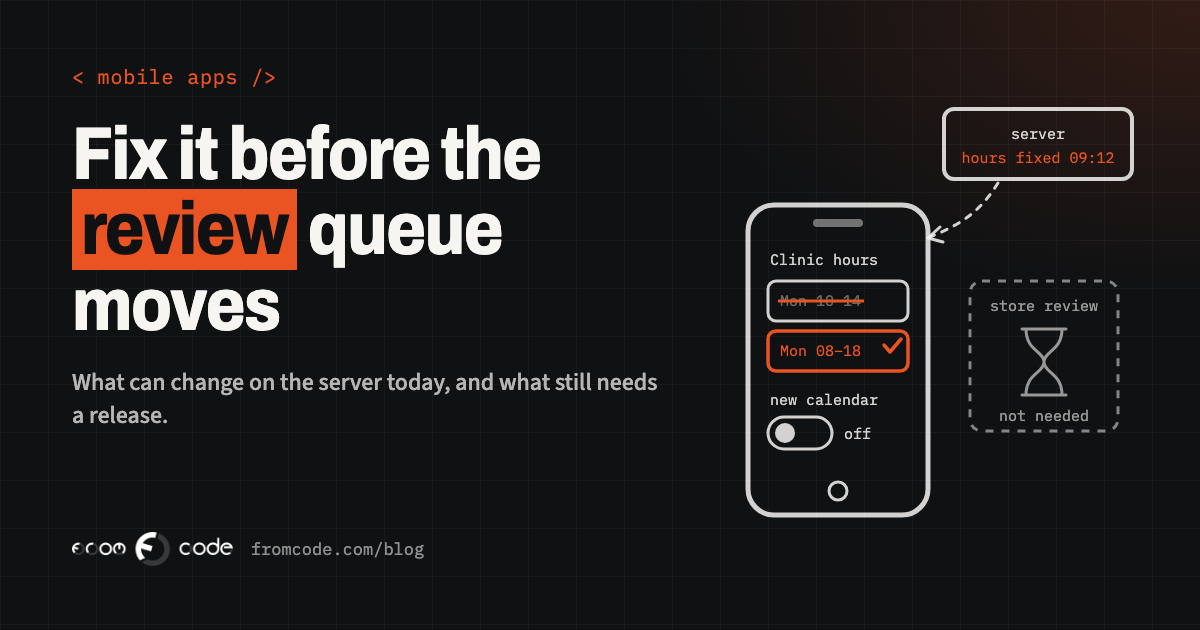
If a mistake reached your customers' phones this morning, how long until it is gone?
For most business owners the honest answer is "I don't know", and that is the real problem. A clinic's booking app shows the wrong opening hours. A school's app sends parents to a page that no longer exists. A service company's technicians cannot attach photos to a job sheet after an update. Each of these is small, each is embarrassing, and each raises the same question the moment someone notices it: do we have to wait for Apple and Google before it is fixed?
Sometimes you do. Often you do not. The difference is decided long before the bug appears, by how the app was built and what was prepared around it. This article answers the question in the order you will meet it on a bad morning: what can be changed straight away, what the stores allow without a review, what still needs a new release, and how to make that release reach people quickly and safely.
Where does the mistake live?
The first question is not "how fast is review?" but "where does the mistake actually live?".
A modern app is rarely one piece. There is the app on the phone, and there is a server it talks to: the place that holds the opening hours, the appointment slots, the texts on the screens, the list of services and prices. When the mistake is in what the server sends, it can be fixed on the server, and every phone shows the corrected version the next time it asks. No store is involved, because nothing on the phone changed.
When the mistake is in the app's own code, the logic of a screen, a crash in a button, a broken photo upload, the phone has to receive new code. That is where the store rules begin.
So the most useful thing an app can have, long before anything goes wrong, is as much as possible of what changes often living on the server: texts, lists, rules, which screens are shown and in what order. Every item you move there is one more kind of mistake you can fix in minutes instead of days.
A switch you can flip
Does your app have a way to switch a feature off without a new version?
This is the cheapest insurance an app can carry, and it is often missing. A remote switch, sometimes called a feature flag or remote configuration, is a setting on the server that the app reads when it opens. "Show the new booking calendar: yes or no." "Allow photo uploads: yes or no." "Show this notice at the top of the home screen."
When a new feature misbehaves, someone flips its switch and the app quietly goes back to the old behaviour on every phone. Nobody waits for a review, because the code for both behaviours was already inside the version people have. The same switch can show a short, honest notice: "Photo uploads are paused for an hour while we fix a problem."
Two things make switches work in practice. The person who may flip them should be clear, and it should be possible from a screen, not by asking a developer to edit a file at night. And the app should behave sensibly when it cannot reach the server at all, using the last value it saw rather than guessing.
Updates that skip the store
Can new code reach the phone without a store release at all?
For some apps, yes. Apps built with frameworks such as React Native, where much of the app is written in JavaScript, can download a new version of that part and apply it the next time the app starts. Services such as Expo's EAS Update exist for exactly this. It is often called an over-the-air update, and for fixing a bug in a screen it can turn a wait of days into a wait of an hour.
The stores allow it within limits, and the limits are worth knowing in their own words. Apple's App Review Guidelines say in section 2.5.2 that an app may not "download, install, or execute code which introduces or changes features or functionality of the app". Google Play's Device and Network Abuse policy says an app "may not modify, replace, or update itself" other than through Google Play's update mechanism, with an exception for code that runs in a virtual machine or an interpreter, such as JavaScript in a webview.
Read together, the practical rule is simple: an over-the-air update is for fixing and polishing what the reviewed app already does. A wrong calculation, a broken layout, a crash in an existing screen are fair game. A new feature, a different purpose, or anything that looks like a way around review is not, and an app that uses updates that way risks far more than one delay.
What still needs a store release
Even where over-the-air updates are allowed, some fixes cannot travel that way.
Anything in the native part of the app needs a new build: a new permission such as camera or location, a change to how notifications are registered, a new library that talks to the phone's hardware, a change to the app's icon or name. Services such as EAS Update check this themselves: an update is only delivered to installed versions whose native part matches, so a fix that needs new native code simply waits for the next store release.
This is why "we use over-the-air updates" is not a complete answer. The useful question for whoever builds your app is: "Which kinds of fixes can we send today, and which kinds always need a store release?" A clear answer to that tells you what a bad morning will look like before it happens.
How long review really takes
When a store release is needed, how long does it really take?
Apple states on its App Review page that it typically reviews at least 50% of submissions in less than 24 hours and 90% in less than 48 hours. Those are Apple's own figures and, for an established app with a routine update, they match what most developers see. But they are averages, and late in 2026 the Apple developer forums have plenty of threads from developers whose submissions sat in "Waiting for Review" for far longer, especially first submissions and resubmissions after a rejection.
Google Play's review is mostly quick as well, but its own help page on preparing an app for review says that some developer accounts are checked more thoroughly, with review times of up to seven days or longer in exceptional cases.
So plan for the usual case and prepare for the slow one. A fix that must reach people today should never depend on a review being quick.
The fast lane for a critical bug
Is there a fast lane?
On Apple's side, there is one, used sparingly. The same App Review page says you can request an expedited review "if you face extenuating circumstances, such as fixing a critical bug in your app", and asks that the request includes the steps to reproduce the bug on the current version. The request is made through App Store Connect, and Apple decides each one individually.
A good request is short and concrete: what is broken, who it affects, how to see it in the current version, and what the new build changes. "Patients cannot confirm appointments after updating to version 3.2; steps to reproduce below; build 3.2.1 fixes only this" is the kind of note a reviewer can act on.
Keep the fast lane for real emergencies. A fix for a crash that stops people using the app qualifies. A wording change does not, and that belongs on the server anyway.
Five questions to ask about your app this week, before anything goes wrong:
- Which texts, lists and rules can be changed on the server, without a new version?
- Which features can be switched off remotely, and who can do it?
- Can the app receive over-the-air fixes, and which kinds of fixes always need a store release?
- Who can submit a new build and request an expedited review, from the company's own developer accounts?
- Can the server tell old versions of the app to update, and does it still work with them until they do?
Releasing to a few people first
The best time to catch a bad release is when it has reached a few people, not everyone.
Both stores let you release gradually. Apple's phased release spreads an update over seven days, starting with 1% of people who have automatic updates on, then 2%, 5%, 10%, 20%, 50% and everyone. It can be paused for up to 30 days in total, and resumed where it stopped. Google Play's staged rollout lets you choose the percentage yourself and halt the rollout.
Combined with crash reporting, this turns a bad release into a paused one. The few people who received it are a reason to act quickly; the many who did not are the reason it is not a crisis. One detail matters here: a phased release only controls automatic updates, and anyone can still update by hand from the App Store. It is a brake, not a wall.
People on old versions
What about the people who never update?
Many phones update apps automatically, but not all, and some people keep an old version for months. If the fix is important, the app needs a way to say so.
The usual pattern is a minimum version on the server. Every time the app opens, it asks the server which versions are still acceptable. If the installed one is too old, it shows a clear screen asking the person to update, with a button that opens the store page. On Android, Google offers this as part of Play itself: the in-app updates feature has an "immediate" flow, a full-screen prompt for updates that are critical to how the app works, and a "flexible" flow that downloads in the background while the person carries on.
Use the forced version sparingly. A screen that blocks the app is right for a fix that protects people's data or stops real harm. For anything smaller, a gentle prompt respects their time.
Keeping old versions working
One part of fixing quickly is often forgotten: the server has to keep working with the versions people actually have.
When a mistake is fixed by changing what the server sends, the change must be one that every version still in use understands. If version 3.1 expects a list of appointment slots in a certain shape and the server suddenly sends a different shape, the fix for 3.2 becomes a new failure for everyone on 3.1. The rule is to add, not replace: new fields alongside old ones, until the old versions have gone.
Knowing which versions are in use is part of this. Both stores show it, and so does most crash reporting. It tells you when an old behaviour can finally be removed, and it tells you how many people a server change will reach on each version.
A plan for the bad morning
When the bad morning comes, a short, agreed plan does more than speed.
- Confirm the problem on a real phone, on the version people have, and write down the steps to reproduce it.
- Decide where it lives: a server value, a feature that can be switched off, a fix that can travel over the air, or a fix that needs a store release.
- Stop the harm first. Flip the switch, correct the server value or show a notice, even if the real fix comes later.
- If a store release is needed, keep it to the fix alone. A build that also carries three new features is slower to review and harder to trust.
- Release gradually, watch crash reports, and widen the release once they stay quiet.
- If the fix matters for safety, raise the minimum version once the new one is widely available.
- Afterwards, write down what happened and ask what would have made it a server change next time.
The last step is the one that pays back. Every incident shows one more thing that could live on the server, one more feature that deserves a switch.
What the owner should hold
Most of this depends on things a business owner can check without reading code.
The developer accounts with Apple and Google should be in the company's name, so a new build can be submitted and an expedited review requested even if the person who built the app is unavailable. The update service, the crash reporting and the remote switches should be in the company's accounts too, with more than one person able to use them. And the answer to "which kinds of fixes can we send today?" should be written down somewhere you can find it.
None of this needs a large budget. It needs to be decided while things are calm, which is the only time it ever gets decided well.
The answer to the question
So, how long until this morning's mistake is gone?
With the server holding what changes often, switches on the features that matter and over-the-air updates for the app's own code, the answer for most mistakes is "within the hour". For the rest, a small focused release, a clear expedited request when it is truly critical, a gradual rollout and a minimum version turn a week of worry into a few days of plan. The stores still decide how fast a new build is reviewed; the way the app is built decides how often you need to ask.
What would your app's answer be today?
How quickly could you fix your app today?
Discuss your projectTell me how it is built and I will tell you what can change without a store release.