
Every shop has a week that matters more than the others. For some it is Black Friday, for others the run-up to Christmas, the first warm weekend of spring, or the day a newsletter goes out to the whole list. In that week the shop takes several normal weeks of orders, and every fault costs several times as much: a checkout that fails for an hour loses that hour at its most valuable.
The faults that hurt most in a busy week are rarely new. They were there all along, in a payment edge case, a slow page, a courier integration nobody had exercised at volume. The busy week only makes them visible, all at once and in front of the most customers. This article is about finding them first: what to test before the busiest week, how far ahead, and what to have ready for the faults that slip through anyway.
Start earlier than feels necessary
Testing the week before is too late. A real problem found five days out leaves no time to fix it properly, and a hurried fix in the last days is itself one of the classic causes of a broken peak.
A workable rhythm is:
- Six to eight weeks before: list the money paths, rehearse each one end to end, and write down what failed.
- Four weeks before: the fixes are in, and the rehearsal is repeated on the same list.
- Two weeks before: a change freeze. Only fixes for real problems go out, each with a test that proves it.
- The week itself: nothing ships unless something is broken, and someone is watching.
The exact numbers matter less than the order: find, fix, prove, then stop changing things.
Name the paths that earn money
The money paths are the few journeys that turn a visitor into an order. In most shops the list is short:
- Finding a product: search, categories, filters, and the product page itself.
- The cart: adding, changing quantities, removing, applying a discount code or a gift card.
- Checkout: the address, the delivery choice, the payment method, and the confirmation.
- After the order: the confirmation e-mail, the invoice, the courier label, the tracking link.
- The account: logging in, resetting a password, seeing past orders.
Write them down for your shop specifically. If you sell with cash on delivery, that is a separate path from card payment and needs its own rehearsal. If you have a business-to-business price list, logging in as a business customer is a separate path too.
Rehearse like a customer
A rehearsal is one person, a real phone, and the live shop in a test mode, going through each path as a customer would. Not a developer clicking through the happy path on a laptop: someone who follows the list and writes down everything that is slow, confusing or broken.
For each path, try the variations customers actually produce:
- A long name and an address with an apartment, a floor and an entrance.
- A discount code that has expired, and one that does not apply to the product in the cart.
- A card that is declined, and a payment that the customer abandons halfway.
- The back button in the middle of checkout.
- The same order placed twice by an impatient double tap.
Each of those has a correct outcome. The rehearsal checks that the shop produces it.
Payments: test the failures, not just the success
Payment providers offer a test mode with test cards for exactly this purpose, including cards that are always declined or that require an extra confirmation step. Use them to check the unpleasant outcomes, not only the successful one.
The questions to answer:
- When a payment fails, does the customer see a clear message and a way to try again, or a blank page?
- When a customer closes the payment window, is the order left in a sensible state, and is the stock released?
- When the provider confirms the payment late, does the order still end up marked as paid?
- If your provider sends notifications to the shop in the background, are they arriving, and are failed ones retried?
Also check the boring part of the account: limits on the number or value of transactions, and whether the provider expects to be told about a large expected increase. A surprise review of your account in the middle of a sale is a business problem, not a technical one, but it stops orders all the same.
Load: find the first thing that gives way
A load test sends many simulated visitors to the shop at once to see where it slows down or breaks. It is worth doing, with two cautions.
First, test against a copy of the shop, or agree a quiet time with whoever hosts it, because a load test is indistinguishable from an attack to anything watching. Second, simulate the real pattern of a busy day: many people browsing and searching, fewer adding to the cart, fewer still paying. A test that hammers only the home page proves very little.
What you are looking for is not a single number but the first thing that gives way: the database, a slow search, an image service, a plugin that makes an outside call on every page. That is the thing to fix, and then to test again.
When the services you depend on slow down
A shop's busiest week is also the courier's, the payment provider's and the e-mail service's busiest week. Their systems slow down too, and your shop should cope when they do.
Check what happens when an outside service is slow or unavailable:
- If the courier's system does not answer, can an order still be placed, with the label created later, or does checkout stop?
- If the e-mail service is delayed, do confirmation e-mails queue and go out later, or are they lost?
- If a currency or tax lookup fails, does the shop refuse to sell, or sell at a wrong price?
The right answer is usually that the order goes through and the outside step is retried. Whatever the answer, it should be decided, not discovered.
Stock that stays true
Stock is where a busy week turns into angry customers. Two people buying the last item at the same moment should produce one order and one polite message, not two orders and a refund.
Before the peak, check that the stock count is right to begin with, that it goes down when an order is placed rather than when it is shipped, and that it goes back up when an order is cancelled or a payment is abandoned. If you sell the same stock in more than one place, a marketplace and your own shop for example, check how quickly a sale in one reaches the other.
Read every e-mail the shop sends
Customers judge a shop as much by its e-mails as by its pages. Before the busy week, place a test order and read every message it produces: the confirmation, the payment receipt, the shipping notice, the invoice.
Check that they arrive at all, at a few different e-mail providers, not only your own. Check that they are not landing in spam. Check that the totals, the delivery address and the product names are right, and that the links in them work. A confirmation e-mail with a broken tracking link turns one order into one support question, multiplied by every order that week.
Watch the numbers that matter
During the busy week someone should be watching, and should know what to watch:
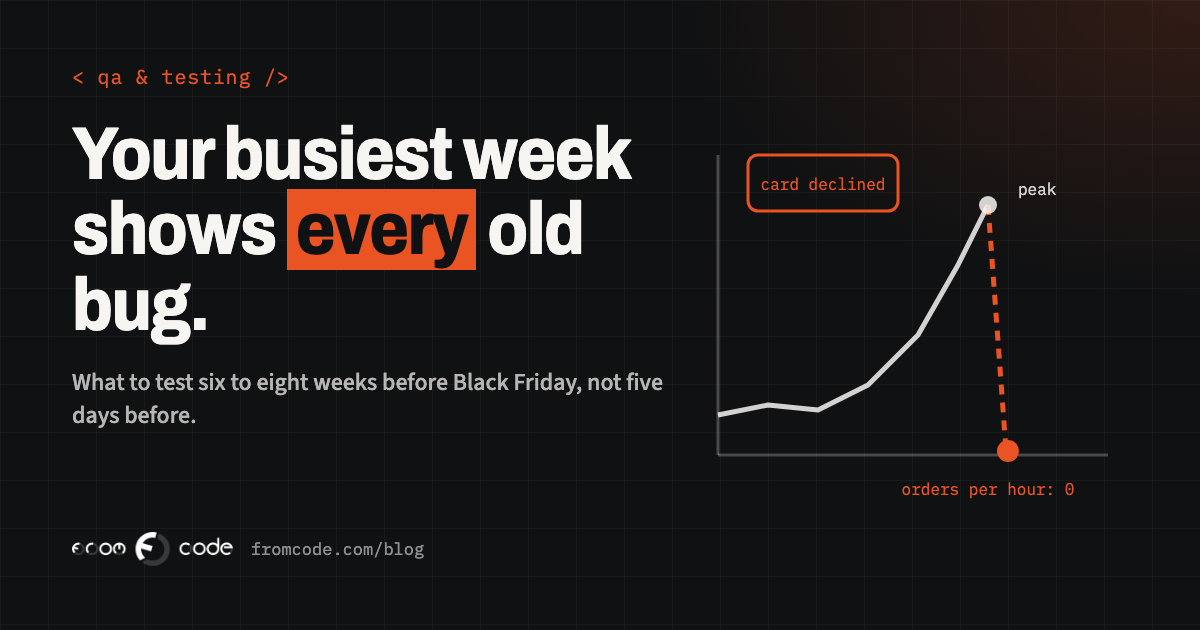
- Orders per hour, compared with the same hour the day before. A sudden drop to zero is the most reliable sign that checkout is broken.
- Failed payments, as a share of attempts. A jump means a problem with the provider or the payment page.
- Errors in the shop's own logs.
- The support inbox, which often notices a problem first.
Decide in advance who looks, how often, and who they call. A problem noticed at nine in the morning and fixed by ten is an annoyance. The same problem noticed on Monday is a lost weekend.
The most effective protection for a busy week costs nothing: stop changing things. New features, redesigns, plugin updates and "quick tweaks" all wait until after the peak, however small they look. A change freeze is not caution for its own sake. It is the simple observation that a shop which worked yesterday and has not been touched is very likely to work today.
The only exception is a fix for something that is actually broken, and even that should come with a test that proves the fix and a way to undo it.
A plan for when something breaks anyway
Despite all of this, something can still go wrong. Prepare for it while everyone is calm:
- Know how to put the previous version of the shop back, and have done it once, recently, on purpose.
- Have a recent backup and know that it restores.
- Write a short note: if checkout breaks, who decides, who fixes, what the customers are told, and where.
- Agree a simple message for the site and the e-mail list if you have to pause sales.
None of this is pleasant to prepare. All of it is much worse to invent in the middle of the busiest hour of the year.
A checklist for the weeks before
Before your busiest week, you should be able to say yes to each of these:
- The money paths are written down for this shop.
- Each one has been rehearsed on a real phone, including the failures, at least twice.
- Declined, abandoned and late payments end in a sensible state.
- The shop has been load-tested, and the first bottleneck has been fixed.
- A slow courier or e-mail service does not stop orders.
- Stock goes down at the order and back up at a cancellation.
- Every e-mail the shop sends has been read and arrives.
- Someone is watching orders per hour, and knows whom to call.
- A change freeze is agreed, with an end date.
- Rolling back and restoring a backup have been practised.
Afterwards: write it down
After the peak, while it is fresh, write down what went wrong, what nearly went wrong and what nobody expected. Each item becomes either a fix, a test or a line in next year's checklist. The shops that sail through their busiest week are rarely the ones with the most sophisticated systems. They are the ones that did this the year before.