
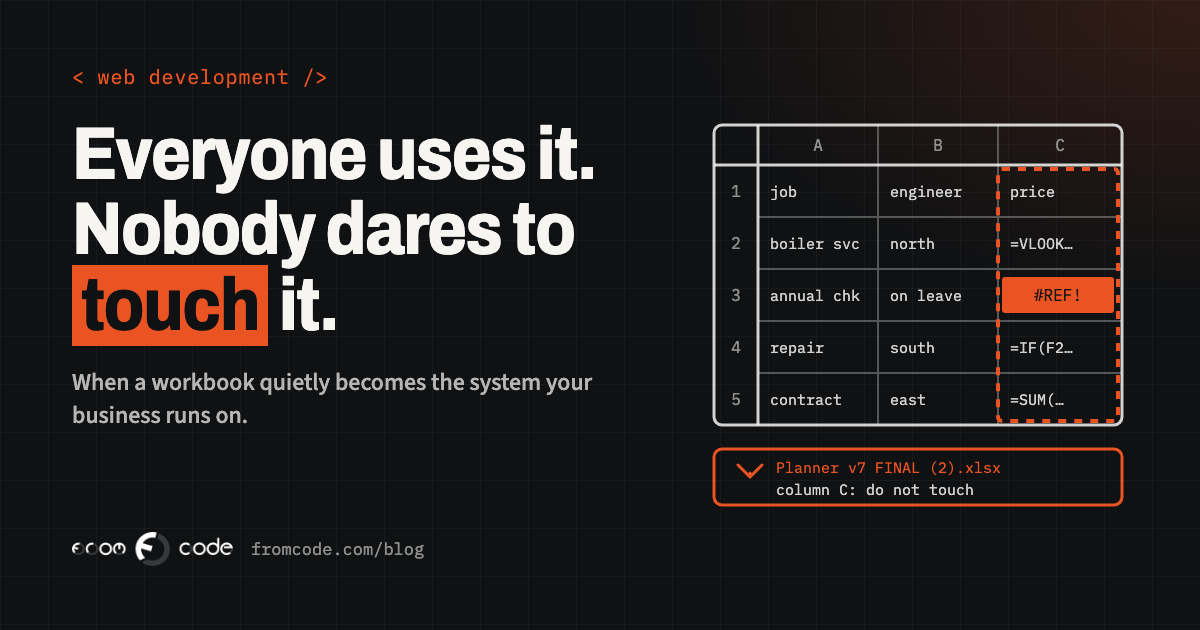
Most businesses have one. A workbook that plans the week, prices the jobs or works out who gets paid what, with a name like *Planner v7 FINAL (2)*, a tab nobody opens, and a column with a note in red: do not touch. Everyone uses it. Nobody wants to be the person who breaks it.
It is rarely a disaster. It is a quiet, daily risk, and a cost nobody puts on an invoice. This piece tells the story of one such workbook, a composite of a situation I meet in many forms rather than any one client, and then what I would do about it: when it is time to replace the spreadsheet with a small internal tool, what that tool should do first, and when the honest answer is simply a better spreadsheet.
A Monday morning
Picture a company that installs and services heating systems. Twelve engineers, an office of three, a few hundred maintenance contracts. Every Monday the office manager opens the planning workbook.
One tab holds the contracts and their service dates. Another holds the engineers, their areas and their days off. A third, built years ago by someone who has since left, takes both and fills in a grid of who goes where this week. A fourth works out the price of each visit from the contract type, the distance and whether parts were used. At the end of the month, a macro copies everything into a sheet the accountant reads.
It works. Most weeks, nobody thinks about it.
Then one Monday someone sorts the contracts tab by postcode to make a phone call easier, and saves. The planning grid still fills in. It just fills in with the wrong addresses against the wrong dates, because a lookup somewhere relied on the rows staying where they were. Two engineers drive to customers who were not expecting them. One customer who was expecting a visit gets nobody. The office spends the afternoon working out what happened, restores an older copy from an e-mail attachment, and loses the changes made since Friday.
Nobody is blamed, because nobody did anything wrong. And that is the problem.
How it got that way
Nobody sets out to run a company on a spreadsheet. It happens one sensible step at a time.
The first version was a list. Then someone added a column for the price, and a formula to total it. Then a tab for the engineers, and a lookup to join them to the jobs. Then a colleague who was good with Excel wrote a macro to save twenty minutes a week. Each step was a good decision on the day it was made. Put together, years later, they add up to a piece of software, written without anyone deciding to write software, with no tests, no record of why each rule exists, and one author who may no longer work there.
That is not a criticism of spreadsheets. They are one of the best tools ever made for thinking with numbers. The trouble starts when a file stops being something people *think with* and becomes something the business *runs on*.
When a file becomes a system
Some signs that a workbook has quietly become a system:
- People keep copies. There is a "master" and several versions on desktops and in e-mails, and nobody is completely sure which one is current.
- Only one person can change certain parts, and everyone else works around them.
- There are cells, columns or tabs people are told not to touch, and the reason is not written anywhere.
- Two people cannot safely work in it at the same time, so someone waits.
- Mistakes are found by customers, engineers or the accountant, not by the file.
- The month-end routine depends on a macro, and the person who wrote it has left.
Any one of these is manageable. Three or four together usually mean the business is carrying a risk it has not priced.
Why you rarely hear about the mistakes
The awkward thing about spreadsheet errors is that they are usually fixed in silence. Someone spots the wrong figure, corrects it, and moves on. The fix is never written down, so the same thing can happen again next month.
That is not only my impression. In a survey published in May 2026 by DOSS, a company that sells operations software and so has an interest in the answer, US operations professionals reported that about two in five spreadsheet incidents were resolved without being reported to leadership. Treat the exact figure with the caution any vendor survey deserves. The pattern it describes is one most office managers will recognise.
For a business owner, that means the spreadsheet looks more reliable than it is. You hear about the Monday when engineers drove to the wrong houses. You do not hear about the ten small corrections that kept it from happening on the other Mondays.
When the world outside the file changes
A workbook can also break without anyone touching it, because the things it depends on change.
A recent example: Microsoft added a COPILOT function to Excel that let a cell ask an AI model for an answer. According to Microsoft's own support page, the function has not been available since 14 September 2026; results already in a workbook stay as stored values, but a cell that recalculates now shows a #NAME? error. A file built around that function in the spring now behaves differently, and the person who opens it next may not know why.
The same is true, less dramatically, of macros blocked by new security settings, links to files on a shared drive that moved, and add-ins that stop being supported. A file has no one whose job is to notice.
Read the workbook before replacing it
When someone asks me to replace a workbook like this, I do not start by designing screens. I start by reading the workbook, because it is the best specification the business has. It is just written in formulas.
Concretely, that means:
- listing every tab, what it is for, and who opens it
- reading every formula that does more than add up a column, and writing down the rule it encodes in plain words: "a contract in a rural area adds a travel charge", "an engineer on leave is skipped"
- opening every macro and every hidden sheet
- finding where data comes in (typed, pasted from another system, imported) and where it goes out (the accountant, a customer, an e-mail)
- asking the people who use it which parts they do not trust
The last question is the most useful. People know exactly where the file has hurt them. The written rules usually surprise the owner, too: there is often a discount or an exception in there that nobody in management remembered agreeing to.
What a small internal tool should do first
A small internal tool does not need to do everything the spreadsheet does. It needs to take over the parts where a mistake costs real money or real trust, and do them in a way that cannot be broken by sorting a column.
For the heating company, that would mean one shared record of contracts, engineers and visits, kept in a proper database rather than rows that can be shuffled. One screen to plan the week, which refuses to book an engineer who is on leave or two visits in the same slot. The pricing rules written once, in code, with a short test for each, so a change to the travel charge is a deliberate decision and not an accident. A clear log of who changed what and when. And the month-end figures produced by the system, not copied by a macro.
What it does not need: dashboards nobody asked for, a mobile app on day one, or a redesign of how the office works. The aim is the same work, done safely. Improvements come once people trust it.
What stays in a spreadsheet
Replacing the risky part does not mean banning spreadsheets. They stay excellent for analysis, one-off questions and what-if sums. A good internal tool makes that easier, not harder: it lets people export exactly the data they need into a spreadsheet, whenever they like, knowing that the copy is for thinking with and the system is where the truth lives.
That one distinction removes most of the fear. Nobody is afraid of breaking an export.
Moving off it without a big day
The switch does not have to be a big day. The approach I prefer:
- Import the existing data from the workbook, and check the totals match: the same number of contracts, engineers and visits, the same prices for the same month.
- Run both side by side for a few weeks. The office plans in the new tool; the old workbook stays open for comparison. Every difference is either a bug in the new tool or a rule nobody wrote down, and both are worth finding.
- When the differences stop, make the old workbook read-only and keep it somewhere sensible, so the history is still there to look things up.
The side-by-side weeks feel slow. They are what makes everyone confident enough to stop opening the old file.
When a better spreadsheet is the honest answer
Sometimes the right answer is not new software at all. If the workbook is used by one or two people, the rules are simple, and mistakes are cheap to put right, a tidier spreadsheet can be enough:
- one copy, in one shared place, with version history switched on
- input cells separated from formula cells, and the formulas protected
- drop-down lists instead of free typing where values must match
- a short tab at the front that explains what each part does and who owns it
That is a day's work, not a project, and I would rather tell someone that than sell them a system they do not need. The time to build a tool is when the file has more users than it can safely hold, when the rules have grown past what anyone can check by eye, or when a mistake reaches a customer.
Before talking to anyone about replacing a workbook, it helps to write down, on one page:
- which decisions the file drives: who goes where, what is charged, who gets paid
- who opens it, how often, and who is allowed to change what
- the last three mistakes it caused, and how they were found
- what would happen if it were wrong for a week without anyone noticing
- which parts of it only one person understands
That page answers most of the questions a developer would ask in a first conversation. It also makes it much easier to judge whether the problem is worth a tool at all.
How the story ends
Back to the heating company. The fix was never really about the Monday when the rows were sorted. It was about the fact that a single click could change who got a visit, and nobody would know until a customer rang.
Once the plan, the prices and the people live in one small tool, a sorted column is just a sorted column. The office manager stops being the guardian of a fragile file and goes back to running the office. And the spreadsheet, finally, goes back to being what it is good at: a place to think.
Which file in your business is everyone afraid to touch?
Discuss your projectTell me what it does and who depends on it, and I will tell you honestly whether it needs a tool or just a tidy-up.